November 18, 2026
Business process standardization: Standardize every variant, not just the happy path
Most process standards capture only one version of the work. Learn the benefits of business process standardization, the four steps, and how to map every variant first.

Three people on the same accounts payable team handle an invoice exception three different ways. One checks the vendor record, another emails procurement, and a third relies on a spreadsheet nobody else knows exists. Yet when someone documents the workflow, only one version makes it into the standard operating procedure (SOP).
Business process standardization establishes consistent, documented workflows for performing repeatable tasks. Done well, it reduces errors, removes bottlenecks, and improves operational efficiency without eliminating necessary local variations. But standardizing business processes based on how work is supposed to happen risks making existing inefficiencies permanent.
What is business process standardization?
As Goel, Bandara, and Gable put it in their research, “business process standardization is a practice intended to achieve consistency across underlying organizational processes, in support of service-delivery excellence and optimization of costs and benefits.”
In practice, business process standardization means:
- Establishing consistency: Agreeing on how repeatable work should happen.
- Documenting workflows: Creating clear, usable standard operating procedures (SOPs).
- Reducing inefficiencies: Removing unnecessary steps, errors, and bottlenecks.
- Allowing for flexibility: Accommodating legitimate local variations without losing control.
All of this creates more consistent ways of working and more predictable outcomes. But standardizing a flawed process can also compound existing errors, especially when AI agents and workflow automation enter the picture. Automating a process that runs five different ways doesn't resolve the inconsistency. It risks embedding those inefficiencies into technology that can repeat them thousands of times.
Standardization vs. integration vs. automation
These three terms often get blurred together, but they solve different problems:
| What it does | Example | |
|---|---|---|
| Standardization | Defines how work should be done | One documented way to resolve an invoice exception |
| Integration | Connects systems so data moves between them | Syncing vendor records between the ERP and procurement tool |
| Automation | Executes the work, fully or partly, without a person | An agent that triages exceptions and drafts the procurement email |
Order matters. Integration moves data, and automation does work, but neither can tell you what the right way to do the work is. That's standardization's job, and when it's skipped, the other two inherit whatever inconsistency was already there.
Benefits of business process standardization
Done well, business process standardization improves the quality of work, gets new employees up to speed faster, and creates a more reliable foundation for automation.
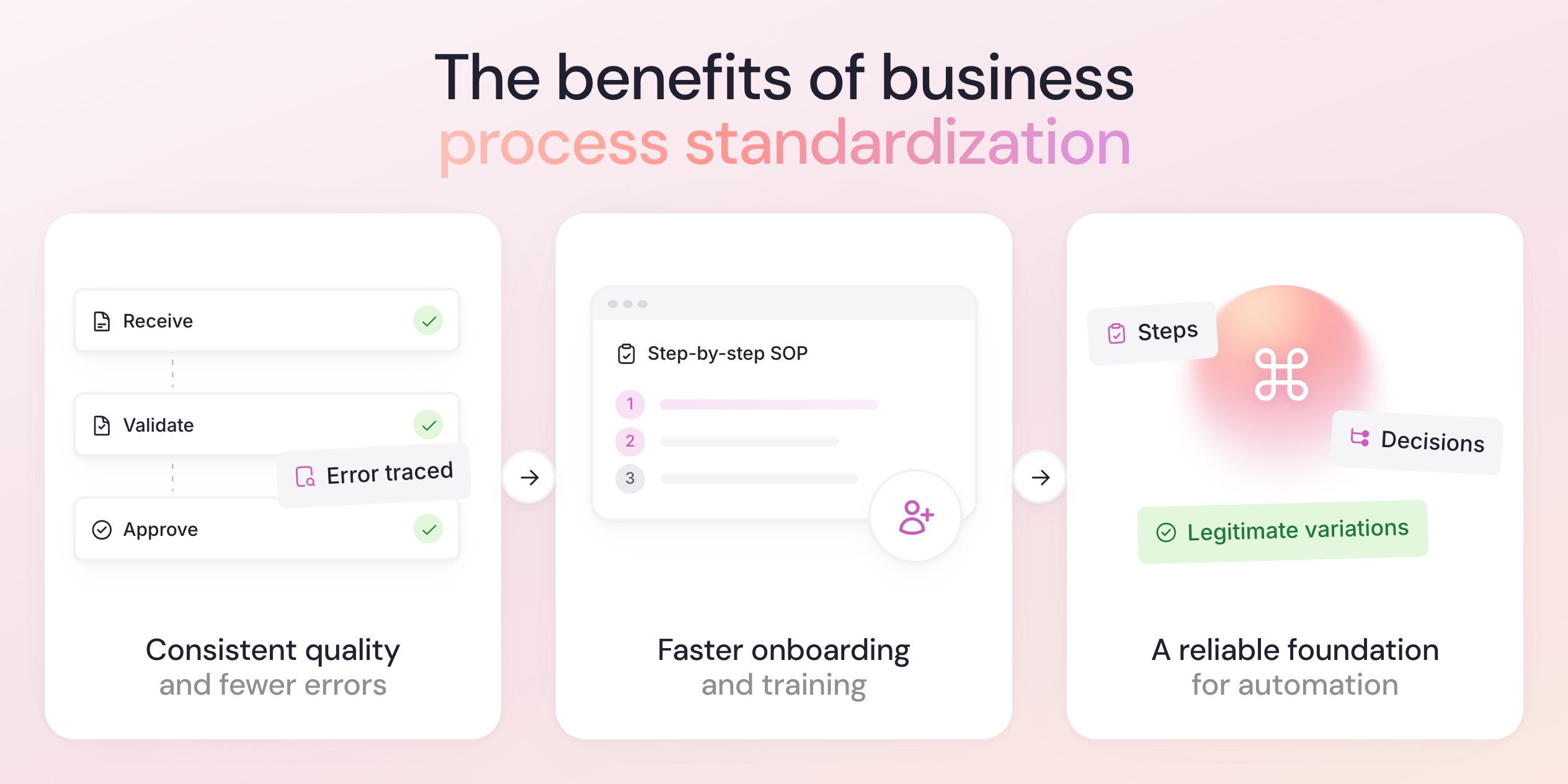
Consistent quality and fewer errors
Standardized workflows make quality control part of everyday operations. Checks happen consistently, errors become easier to trace, and teams have a reliable benchmark for continuous improvement.
For example, a 2025 manufacturing study in Scientific Reports reported a 72.4% reduction in product rejection rates after introducing standardized setups alongside Lean methods and ERP improvements. By reducing process variation, alongside broader operational improvements, quality is better, and there’s less waste.
Faster onboarding and training
New hires shouldn't have to piece together a process from whoever happens to be available. Clear SOPs give them step-by-step instructions, reduce repeated questions, and help them contribute sooner.
Take Enboarder's 2024 State of Employee Onboarding report. 45% of employees who had a good onboarding experience said it made it easier to perform their job successfully. Documented workflows give you something practical to build that training on.
A reliable foundation for automation
Before automating a workflow, you need to know which steps are necessary, where decisions happen, and which variations are legitimate. Otherwise, undocumented exceptions can create more manual work, while unnoticed flaws risk being repeated at scale.
Business process standardization gives teams a clearer specification for automation. It also helps them assess how automatable a workflow really is before investing in technology that could replicate existing inefficiencies.
Why traditional process discovery leads to poor standardization
Most business process standardization guides start with the same instruction: document your existing workflows. Fair enough. But traditional process discovery often relies on interviews, workshops, and one-off job shadowing. These methods capture only what employees remember, describe, or demonstrate in a single session, not the full range of how the work gets done.
How accurately can you standardize a process when you're missing the exceptions, handoffs, and local variations that shape how work actually gets done?
For example, a 2024 study published in Business & Information Systems Engineering identified 11 workarounds across two hospital departments by analyzing system event data rather than relying on interviews, and noted the approach demanded far less of domain experts' time.
The consequences extend well beyond an inaccurate process map:
- According to Clutch, management consulting firms commonly list rates of $100–149 per hour. Even a two-person discovery engagement requiring 80 hours per consultant could cost $16,000–23,840 in consulting fees alone, before accounting for employees' time.
- Flawed standards: Missing an exception or unnecessary approval means the new standard may preserve bottlenecks, redundancies, and errors instead of eliminating them. Worse, it might magnify them.
- Employee workarounds: When SOPs don't reflect real working conditions, employees may return to familiar methods. The documented process and actual workflow drift apart.
- Unreliable automation: Business process automation built around an incomplete workflow can create more manual exceptions, rework, and delays.
As Worktrace AI explores in its research on workflow visibility in shared services, the gap between documented processes and actual workflows can be substantial. And when that gap goes unnoticed, organizations risk spending time and money standardizing processes that don't reflect how work gets done.
How to standardize a business process, step by step
Business process standardization starts with understanding how work actually happens, then identifying unnecessary variations, documenting the best approach, and measuring whether teams follow it.
Here's how to put that into practice.
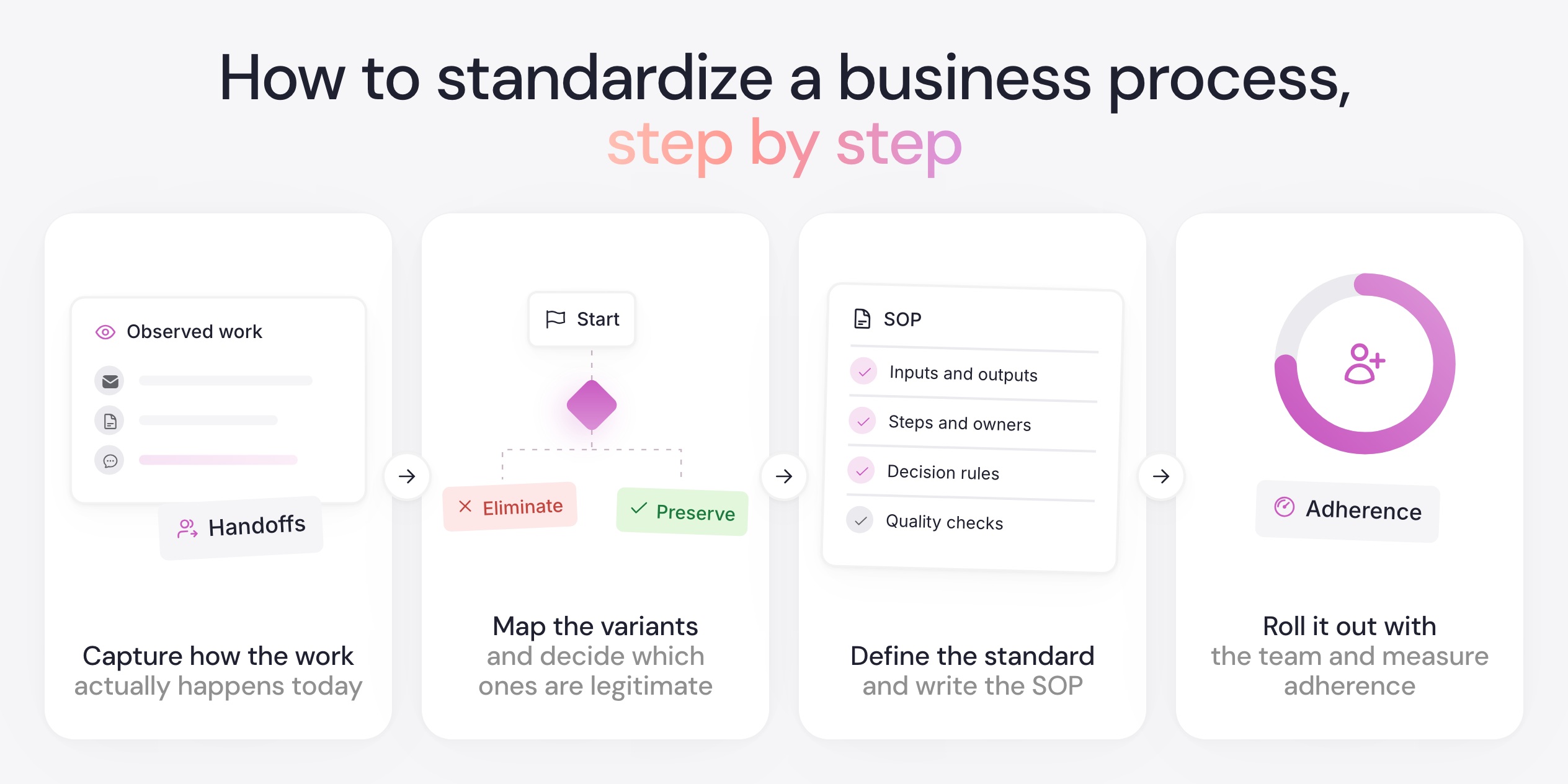
1. Capture how the work actually happens today
Start with real workflows, not assumptions or a single walkthrough. Use process mapping to establish a baseline across people, teams, and repeated tasks.
Capture:
- Steps and handoffs: Who does what, in which order, and where responsibility changes.
- Tools and systems: Include work happening outside core platforms, such as spreadsheets, email, and chat.
- Time and bottlenecks: Record task duration, waiting time, and repeated data entry.
- Decisions and exceptions: Identify where employees make judgments or depart from the expected process.
This gives you a reliable benchmark for process optimization rather than a flowchart of how work is supposed to happen.
2. Map the variants and decide which ones are legitimate
Not every variation is a problem. Standardizing business processes means distinguishing unnecessary deviations from genuine operational requirements.
- Eliminate: Redundant approvals, outdated workarounds, duplicate data entry, and personal habits that add no value.
- Preserve: Policy-driven decisions, customer-specific requirements, regulatory obligations, and necessary local variations.
For example, a shipment exception may require different escalation paths across logistics operations. Document those differences as approved branches within the standard workflow.
3. Define the standard and write the SOP
Turn your process map into clear standard operating procedures (SOPs) that employees can follow and automation teams can use.
Each SOP should specify:
- Inputs and outputs: What starts the process and what successful completion looks like.
- Steps and owners: Who performs each action, using which tools.
- Decision rules: When to follow the main workflow or an approved variation.
- Quality checks: What must be verified before work progresses.
At BukuWarung, Worktrace AI helped reduce workflow discovery and SOP digitization from 10 days to three days per automation by generating documentation from observed work.
4. Roll it out with the team and measure adherence
Test the standard with employees before rolling it out. They'll identify missing steps and exceptions that process owners may overlook.
Then track a small set of KPIs:
- Process adherence: How consistently teams follow the documented workflow.
- Error rates: Whether standardization is reducing errors and rework.
- Cycle time: Whether tasks are completed faster, with fewer delays.
- Exception frequency: Which variations continue to appear and why.
Use these findings for continuous improvement. If employees repeatedly deviate from the standard, investigate whether the process needs updating before treating it as a compliance issue.
How Worktrace AI maps every variant before you standardize
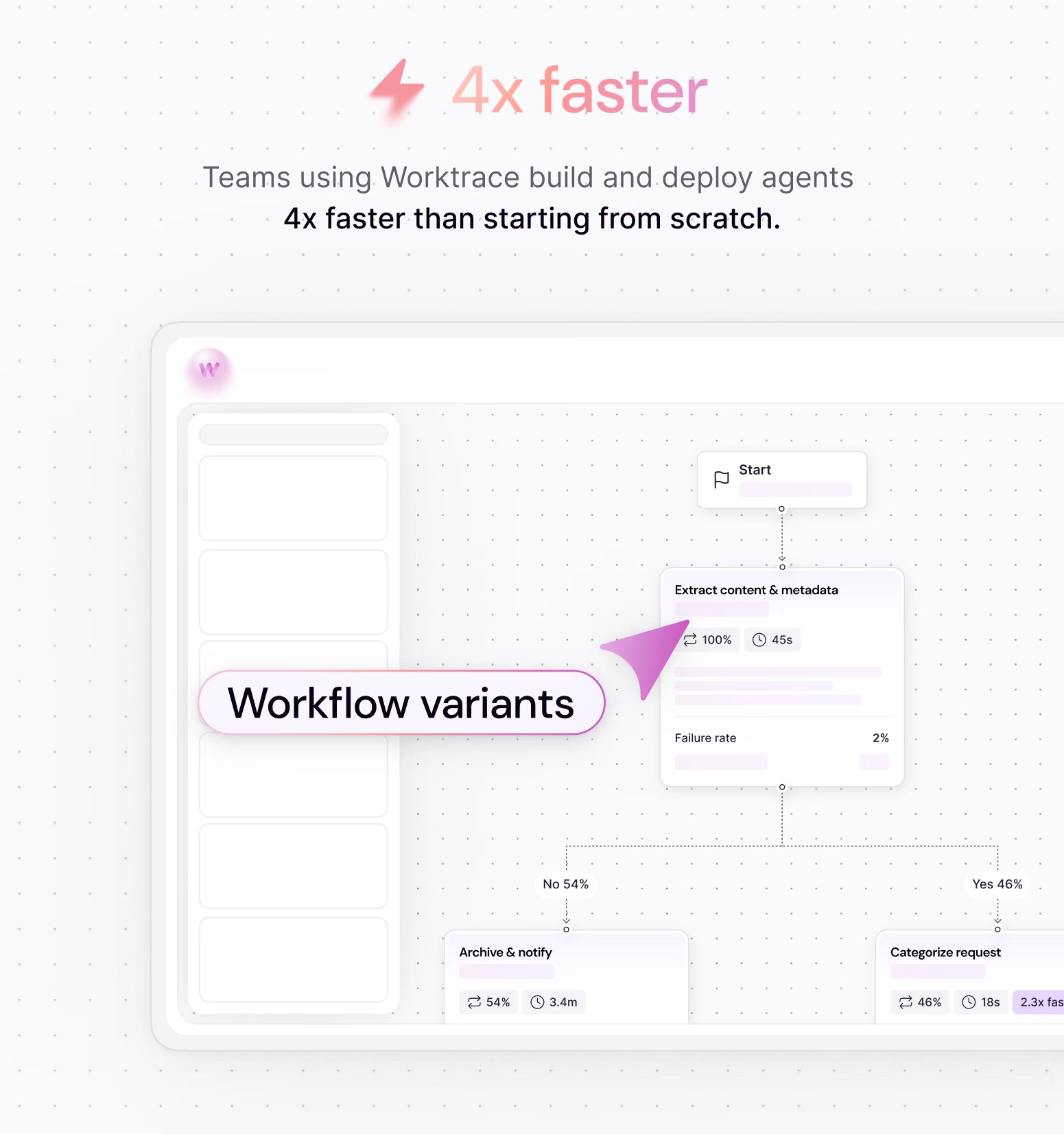
Worktrace AI captures how work actually happens across teams, tools, and systems. Rather than relying on months of interviews or assumptions, it builds a data-backed picture of real workflows, including the variations and exceptions traditional process discovery often misses in just 2 weeks.
Here's how Worktrace AI supports business process standardization:
- Captures real work: A lightweight desktop app observes workflows across applications during a focused two-week snapshot, with zero integrations required.
- Identifies process variations: Combines repeated tasks across employees into one process map, revealing decision points, bottlenecks, workarounds, and legitimate exceptions.
- Generates SOPs automatically: Turns observed workflows into documented procedures, including process branches and edge cases.
- Reveals optimization opportunities: Highlights unnecessary steps, manual work, and inconsistencies that teams can address before introducing workflow automation.
- Protects employee privacy: Aggregates insights at the team level, without individual productivity tracking. It never captures keystrokes, passwords, or API keys, and IT controls application access through allowlists and denylists.
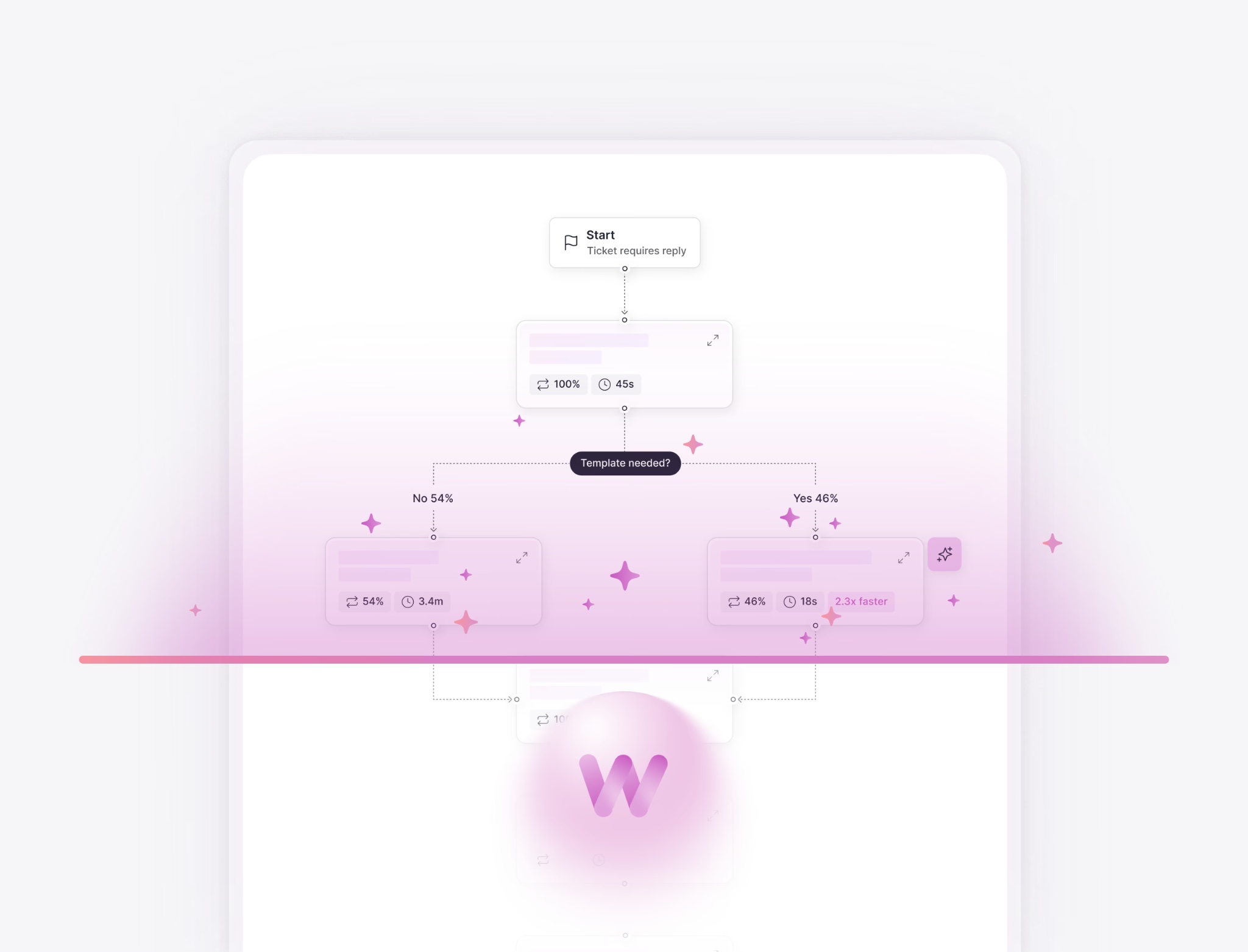
The value goes beyond a fancy-looking SOP. At Delhivery, Worktrace AI mapped workflows across 20 distributed teams without integrations, surveys, or shadowing, helping identify eight automation opportunities. It also uncovered manual workarounds caused by missing fields, restricted reporting, and gaps in system support. These were opportunities for process improvement without building new AI solutions.
Explore more Worktrace AI use cases, including standardizing workflows across regions and operational centers.
The standard is only as good as the map behind it
Business process standardization is usually treated as a documentation problem. It's a discovery problem first. A well-written SOP built on an incomplete picture of the process will still get worked around, because the variants it ignored haven't gone away.
The teams that make standards stick start with observed reality: every variant, branch, and decision point. With the full picture, they can decide what to keep, what to improve, and what to eliminate. The result is a standard people can actually follow and a reliable foundation for automation.
Before you write the standard, find out how many versions of the process already exist. Request a Worktrace AI demo to see how real workflows become variation-aware process maps.




Frequently asked questions
Read more
November 18, 2026
Process mining vs. task mining: What each one misses
Process mining reads system logs, task mining records clicks. Compare how they differ, what each one misses, and how to choose the right approach for AI agents.


Ready to evaluate the results?

Agents you'll actually use
Worktrace discovery maps exactly how your team works and finds the most repetitive work. Then it builds Al agents that do that work.
We'll get in touch with you shortly.





of enterprise work is automatable