November 5, 2026
The 11 best intelligent workflow automation tools for enterprise teams
Compare 11 intelligent workflow automation tools by hosting, builder style, and human-in-the-loop controls, and learn why picking the right workflow comes before picking the platform.

Artificial intelligence has pushed workflow automation beyond fixed rules. Where traditional automation routes tickets based on predefined conditions, intelligent workflow automation can interpret unstructured data, make decisions, and escalate exceptions to humans.
Yet scaling remains difficult. McKinsey’s 2026 State of AI survey found that only around 40% of large organizations had managed to scale AI agents, while Gartner predicts over 40% of agentic AI projects will be canceled by 2027.
The challenge often starts before implementation: identifying worthwhile workflows and specifying how they work. Here are 11 intelligent workflow automation tools for AI leaders evaluating where to invest.
What is intelligent workflow automation?
Intelligent workflow automation is a form of intelligent process automation that combines AI, predefined rules, and human oversight to handle decisions and exceptions.
It uses three capabilities:
- AI-assisted decisions: Machine learning and natural language processing (NLP) classify requests and extract unstructured data.
- Rule-based automation: Handles predictable tasks using predefined conditions.
- Human oversight: Routes exceptions and high-stakes decisions for review.
Unlike traditional automation, it can process variations such as different invoice formats without a separate rule for each.
The best intelligent workflow automation tools for enterprise teams
These platforms support different stages of automation, from finding opportunities to building and running AI agents. Worktrace AI covers all three and can also export agent specifications to builders such as n8n and Microsoft Copilot Studio.
| Tool | Layer | Builder style | Hosting | Human-in-the-loop | Pricing |
|---|---|---|---|---|---|
| Worktrace AI | Discover, build, and run | No-code; exports agent specs | Cloud, on-prem, private cloud | Human handoffs, audit trails | Quote-based |
| Zapier | Build and run | No-code | Cloud | Approvals (beta), audit logs | Free, published tiers |
| Microsoft Power Automate | Build and run | Low-code | Cloud, desktop | Built-in approvals | Trial, published tiers |
| UiPath | Build and run | Low-code, SDKs | Cloud, self-hosted | Reviews, audit logs | Free, published, quote-based |
| Automation Anywhere | Build and run | Low-code | Cloud, on-prem, hybrid | Handoffs, audit logs | Free, quote-based |
| Workato | Build and run | Low-code | Cloud, on-prem agent | Approvals, audit trails | Quote-based |
| SS&C Blue Prism WorkHQ | Orchestration | Low-code | Cloud, on-prem, hybrid | Reviews, audit trails | Quote-based |
| ServiceNow | Build and run | Low-code | Cloud, Private Stack | Approvals, audit history | Quote-based |
| Salesforce Agentforce | Build and run | Low-code | Cloud | Human handoffs, audit trails | Usage and per-user pricing |
| n8n | Build and run | Developer-first | Cloud, self-hosted | Approvals, audit logs | Free self-hosted, published tiers |
| Make | Build and run | No-code | Cloud | Enterprise approvals (beta) | Free, published tiers |
Pricing models and features were reviewed in October 2026 and may change. Confirm current details with vendors.
1. Worktrace AI
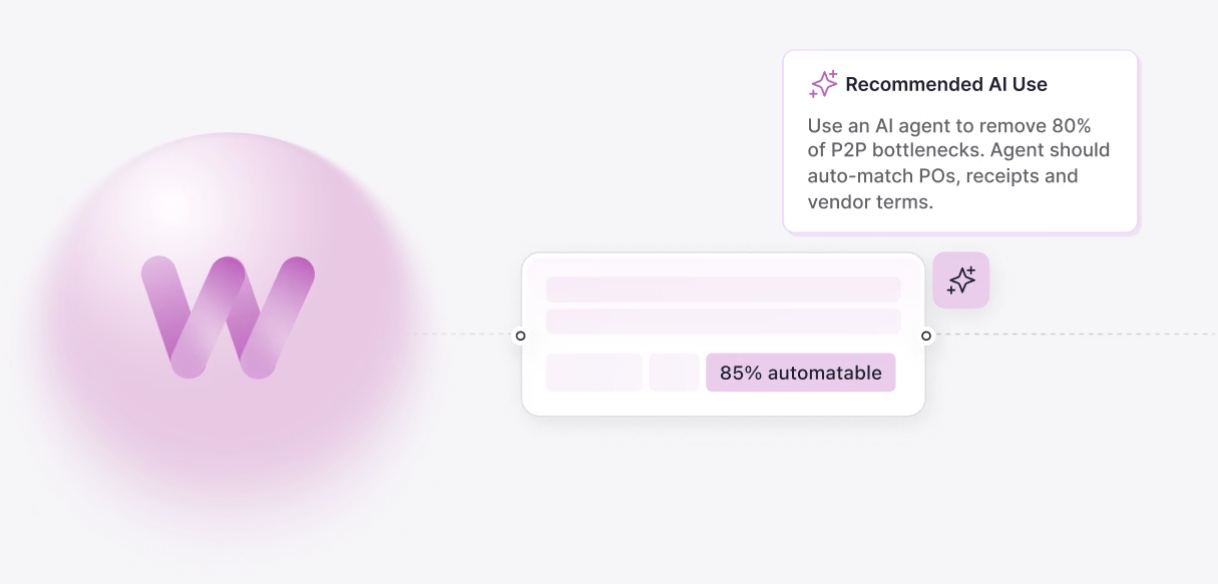
Worktrace AI discovers high-value automation opportunities, builds AI agents, and runs them in the applications your team already uses.
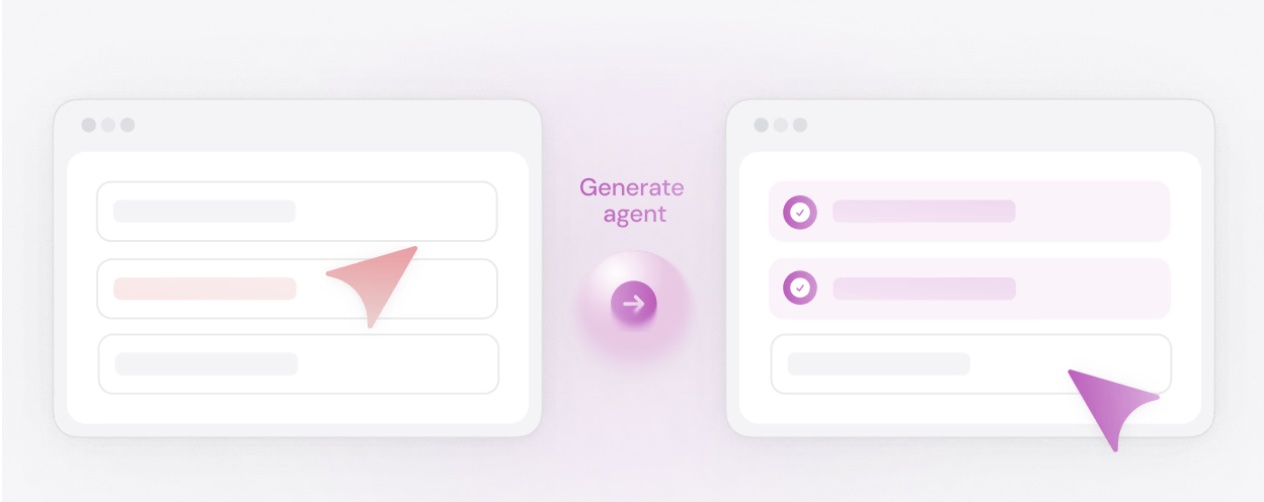
Its lightweight desktop app observes work across browsers, desktop applications, and legacy systems without integrations. It captures decisions, variations, and exceptions, then identifies opportunities based on ROI and business priorities. Worktrace AI can build agents from these findings or export specifications to other automation platforms.
Key features:
- Automation roadmap: Ranks opportunities by ROI, effort, and performance metrics.
- Process maps and SOPs: Documents workflow variations, decisions, and exception handling.
- AI agent building: Creates agents without custom integrations or coding.
- Agent monitoring: Tracks activity, audit trails, and performance.
- Agent specifications: Exports blueprints to n8n and Microsoft Copilot Studio.
Proof point: At a global business-services leader, Worktrace AI mapped 16 IT teams and identified 62 agent blueprints. Agent setup time fell from 10–15 days to 3–4 hours.
See how other teams are using Worktrace AI to identify and automate workflows.
Limitations:
- New agent-building capability: Launched in September 2026, with most published results focused on discovery.
- Desktop installation required: Workflow observation requires a lightweight Windows or Mac app.
Best for: Enterprise teams discovering and automating high-ROI workflows.
2. Zapier
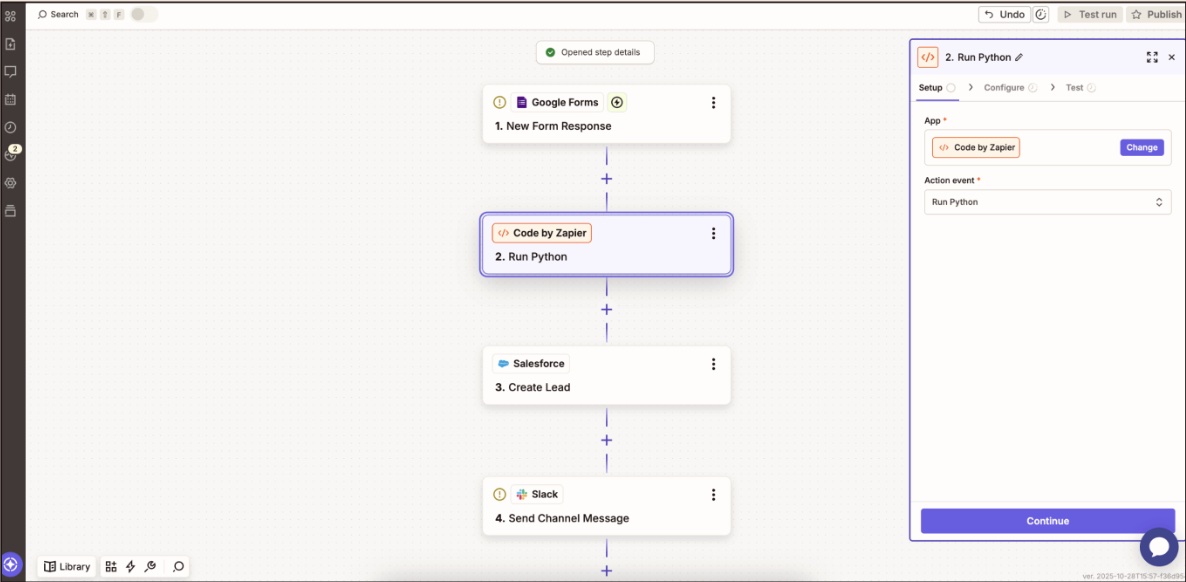
Zapier connects SaaS applications through automated workflows called “Zaps,” with no-code, low-code, and AI-powered options.
Key features:
- Workflow builder: Supports multi-step automations and optional custom code.
- Tables and Forms: Collects and stores data.
- AI agents: Classify requests and trigger actions across apps.
Limitations:
- Usage-based costs: Task-based pricing can become expensive at scale.
- Cloud-only hosting: No self-hosted deployment option.
Best for: Business teams looking for no-code task automation across SaaS applications.
3. Microsoft Power Automate
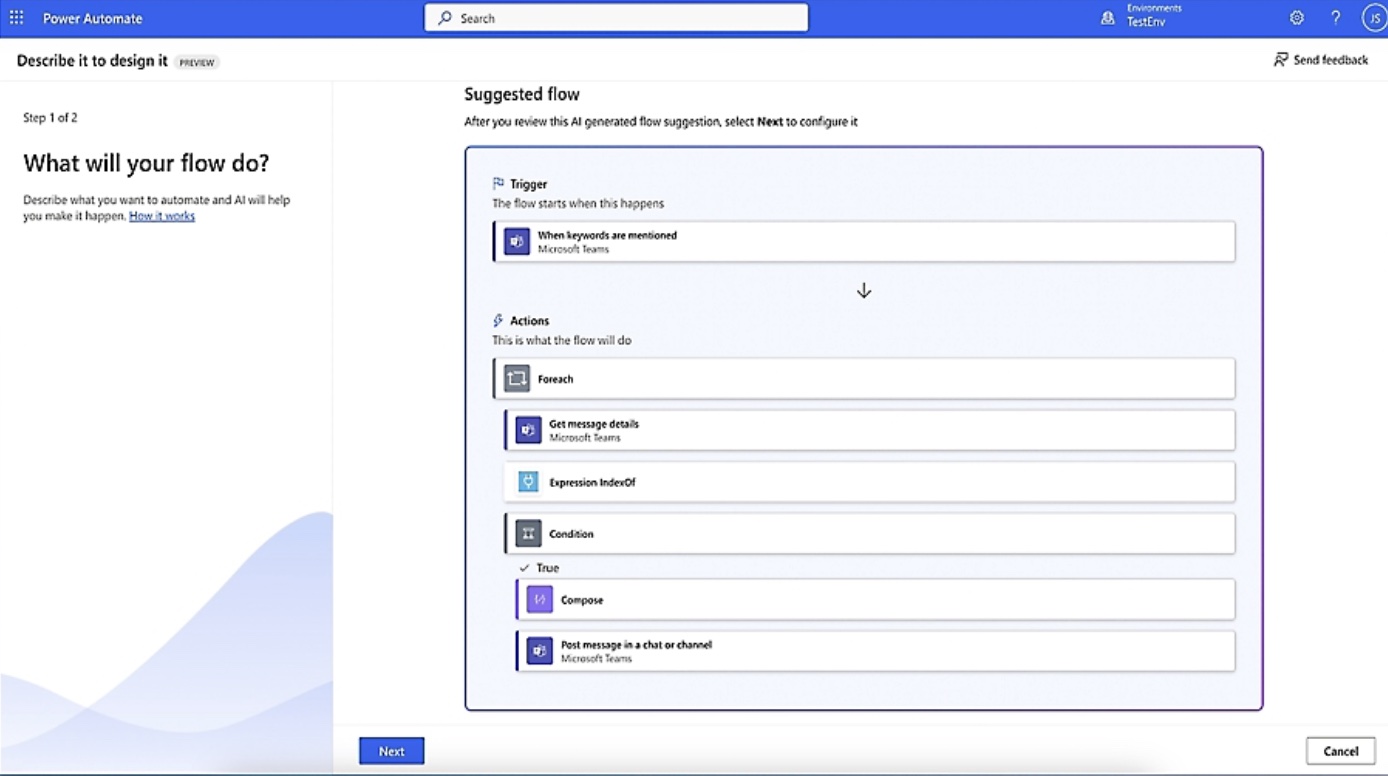
Microsoft Power Automate combines cloud workflows, RPA, and process mining across Microsoft and third-party applications.
Key features:
- Cloud and desktop flows: Automates tasks through APIs and desktop interfaces.
- Built-in approvals: Routes requests through Outlook and Teams.
- Copilot Studio integration: Connects AI agents to business systems.
Limitations:
- Microsoft-centric: Works best with Microsoft 365, Dynamics, and Azure.
- Complex licensing: Multiple pricing models make operational costs harder to predict.
Best for: Enterprises automating workflows across Microsoft products.
4. UiPath
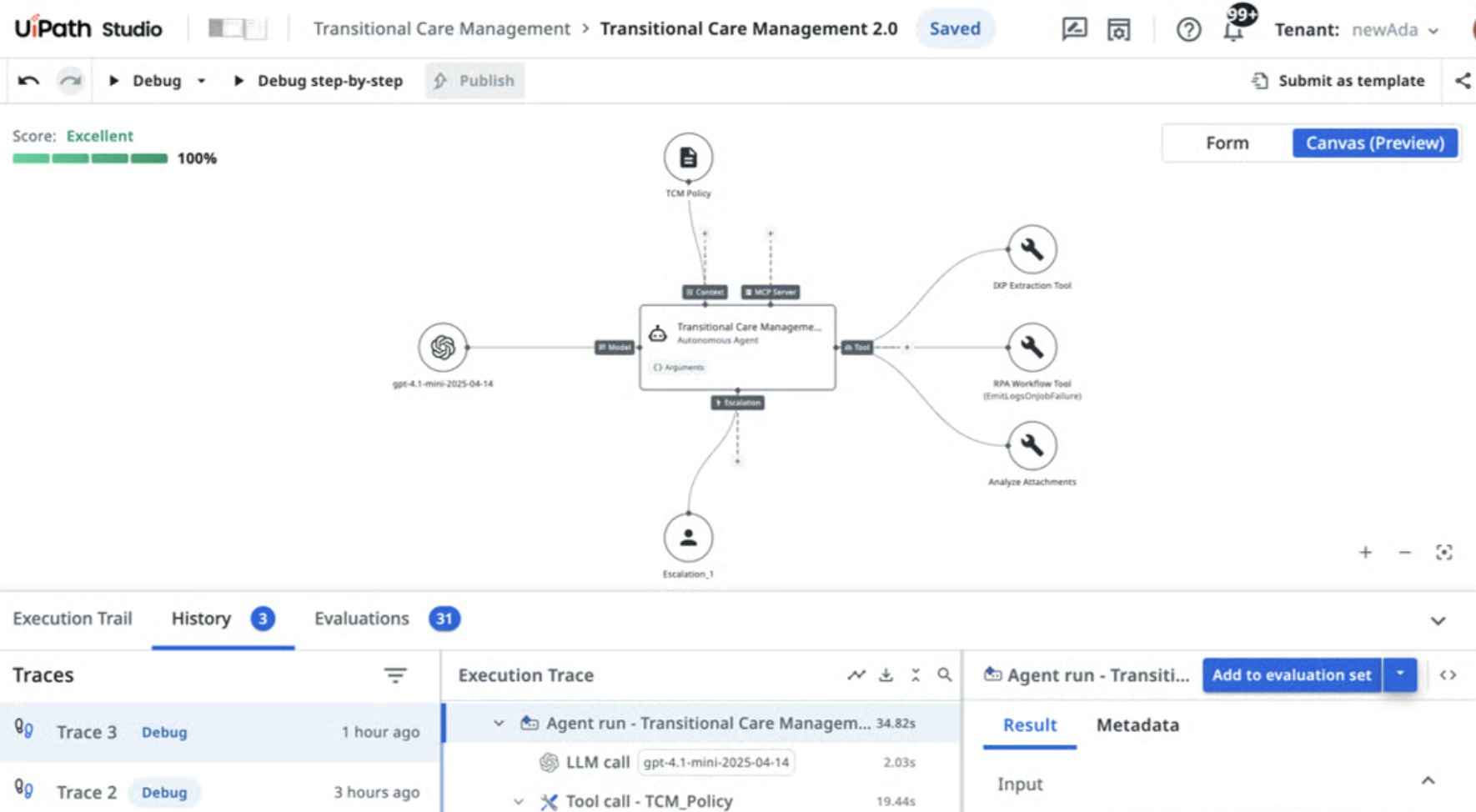
UiPath combines RPA, AI agents, and API workflows, coordinated through its Maestro orchestration layer.
Key features:
- Agentic orchestration: Manages agents, bots, and APIs across workflows.
- Human oversight: Routes exceptions for review.
- Flexible deployment: Supports cloud, self-hosted, and air-gapped environments.
Limitations:
- Complex implementation: May require dedicated automation expertise and longer setup times.
- Enterprise pricing: Advanced capabilities typically require custom quotes.
Best for: Enterprises extending existing RPA programs with agentic AI capabilities.
5. Automation Anywhere
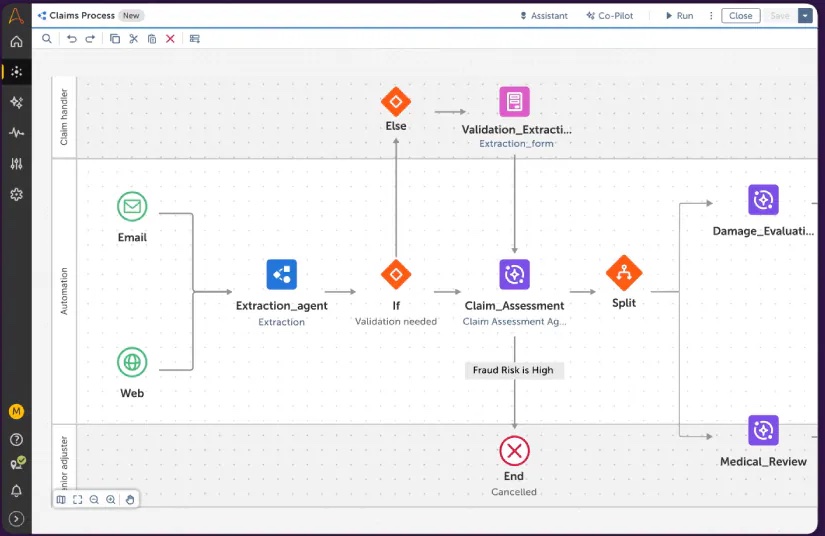
Automation Anywhere is an intelligent automation platform combining robotic process automation (RPA), AI agents, and document processing. It supports cloud, on-premises, and hybrid deployment.
Key features:
- Centralized Control Room: Builds, deploys, and manages bots and AI agents.
- Document automation: Extracts data from invoices, forms, and other unstructured data.
- Human-in-the-loop controls: Routes exceptions and approvals to employees.
Limitations:
- Quote-based pricing: Makes upfront cost comparisons difficult.
- Bot-based licensing: Costs increase as you add creators and runners.
Best for: Enterprises automating document-heavy workflows, such as invoice processing, with RPA and AI agents.
6. Workato
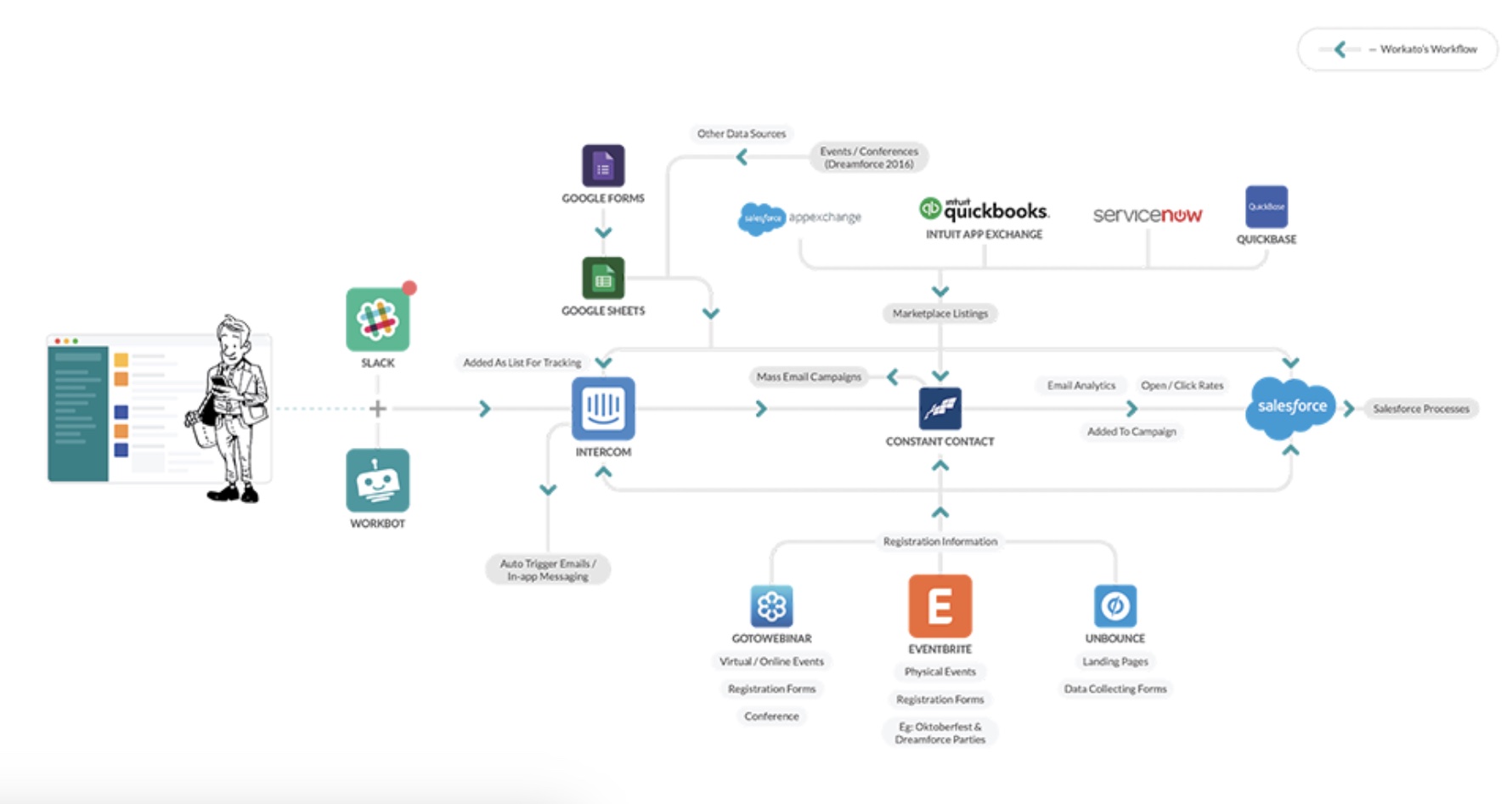
Workato is an AI workflow automation platform that connects business systems through automated “recipes” and AI agents, with centralized IT governance.
Key features:
- Prebuilt connectors: Automate workflows across applications.
- On-premises agent: Connects internal systems securely to cloud workflows.
- Centralized governance: Provides access controls and audit trails.
Limitations:
- Integration-led approach: Workflows depend on API connectors, so systems without usable APIs need separate handling.
- IT ownership required: Governance, connector management, and recipe maintenance need a dedicated owner as usage scales.
Best for: IT teams managing integration-heavy business workflows across multiple systems.
7. SS&C Blue Prism WorkHQ
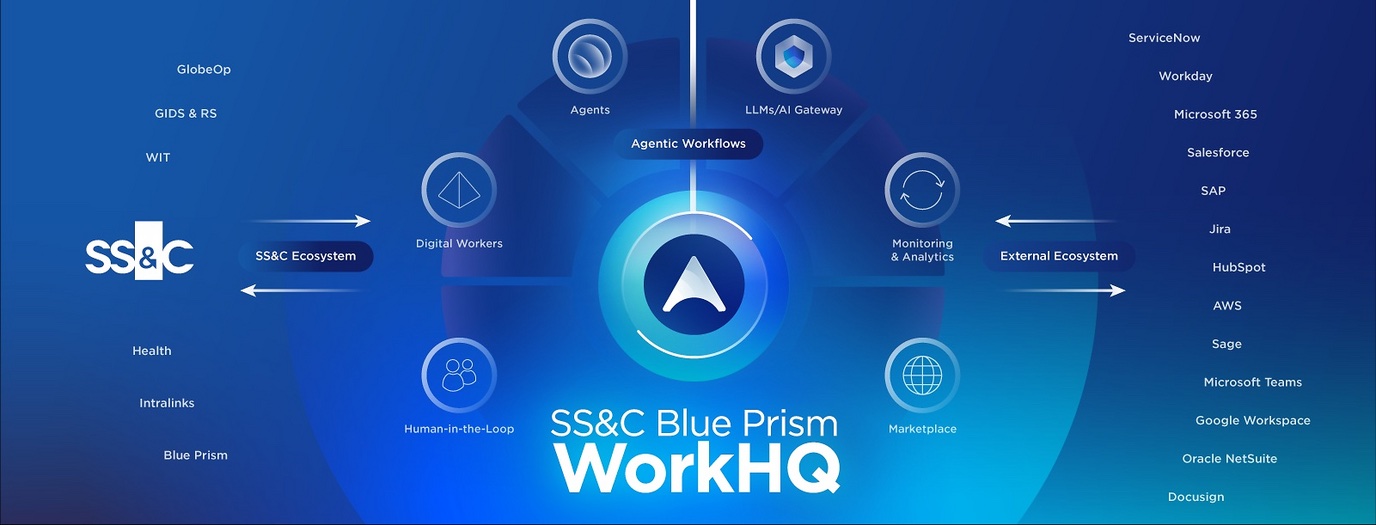
SS&C Blue Prism WorkHQ is an enterprise agentic automation platform that orchestrates people, AI agents, APIs, and digital workers (RPA bots) from a single governed control plane. It's best for large and regulated organizations that need a dedicated AI coordination layer above their existing automation, rather than another point tool.
Key features:
- Governed AI at enterprise scale: Organizations can grow from a handful of AI agents to thousands while keeping control, transparency, and resilience.
- Governance built into each workflow: Audit trails, role-based access control, and the SS&C AI Gateway enforce policy on every AI request, so compliance doesn't have to be bolted on later.
- Works with existing automation instead of replacing it: Current RPA and Business Process Management (BPM) automations keep running. Teams add AI agents where judgment is needed and keep rules-based automation where control is essential.
- One view of all automated work: Agents, RPA bots, APIs, and human tasks are visible and auditable in a single control plane.
- Model-agnostic by design: WorkHQ governs AI agents from any provider through the SS&C AI Gateway, so you aren't tied to one model vendor.
Proof point: According to SS&C, the company runs WorkHQ across its own operations as "Customer Zero" and has cut processing times by up to 95% in key workflows. Marsh, which already uses 130 Blue Prism digital agents, announced in July 2026 that its automation center of excellence will roll out WorkHQ orchestration in phases across regions.
Limitations:
- Complex workflows: Better suited to enterprise processes than simple app-to-app automation.
- Governance requirements: Requires clear ownership and controls before scaling AI agents.
Best for: Regulated industries such as financial services, insurance, healthcare, and the public sector, where every AI decision must be auditable, and automation centers of excellence that need one place to coordinate AI agents, bots, and people.
8. ServiceNow
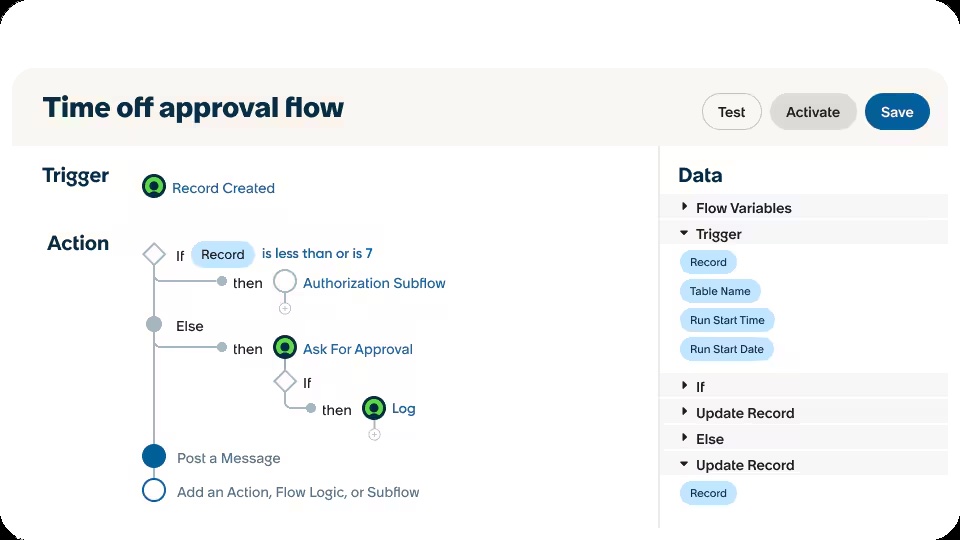
ServiceNow combines workflow management, low-code automation, and AI agents for IT, HR, and customer service.
Key features:
- Low-code builder: Creates workflows with approvals.
- AI agents: Act on ServiceNow tickets, requests, and records.
- Integrations: Connect workflows to external systems.
Limitations:
- Platform dependency: Delivers the most value when workflows already run in ServiceNow.
- Implementation complexity: Configuration may require specialist or partner support.
Best for: Enterprises automating IT, HR, and customer service workflows within ServiceNow.
9. Salesforce Agentforce
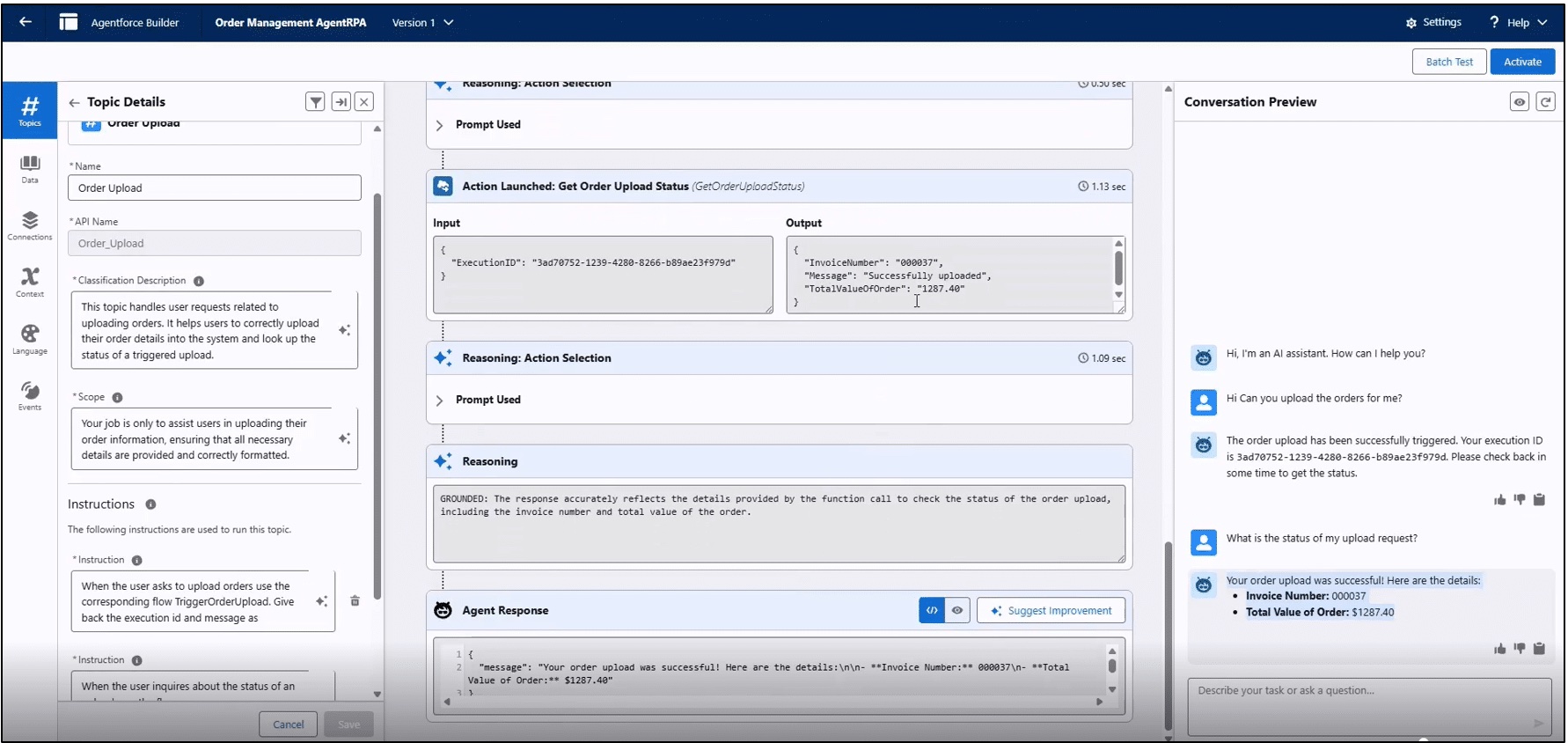
Salesforce Agentforce builds AI agents for sales and customer service using Salesforce CRM data. Agents use customer records to support activities from prospecting to case resolution.
Key features:
- Low-code builder: Creates agents using customer records.
- Einstein Trust Layer: Supports data masking and AI audit trails.
- Human handoffs: Transfers conversations to sales or service reps.
Limitations:
- Salesforce dependency: Cross-platform workflows require additional integrations.
- Usage-based pricing: Flex Credits require careful cost forecasting.
Best for: Sales and customer service teams using Salesforce CRM to automate customer-facing workflows.
10. n8n
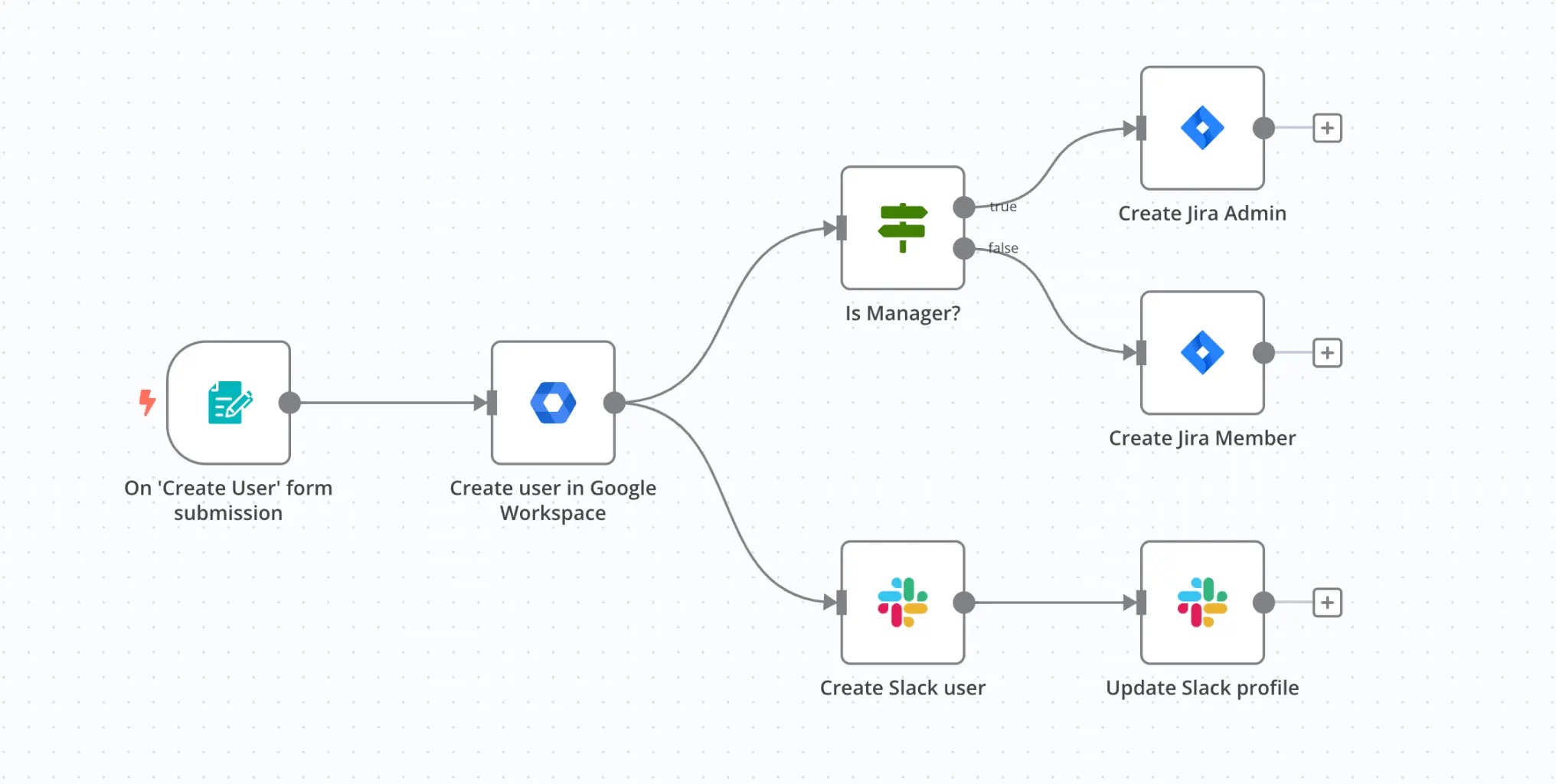
n8n is a source-available automation platform with a visual builder, JavaScript and Python support, and AI agents. It can also use agent specifications exported from Worktrace AI.
Key features:
- Visual and code-based builder: Combines drag-and-drop workflow design with custom code.
- Self-hosting: Keeps workflow execution and data within your infrastructure.
- Human approvals: Pauses AI agents for review before sensitive actions.
- Execution-based pricing: Charges per workflow run rather than individual steps.
Limitations:
- Technical learning curve: Business users may need developer support.
- Self-hosting overhead: Teams manage upgrades, scalability, and uptime.
Best for: Technical teams that want control over building, running, and hosting AI-powered workflows.
11. Make
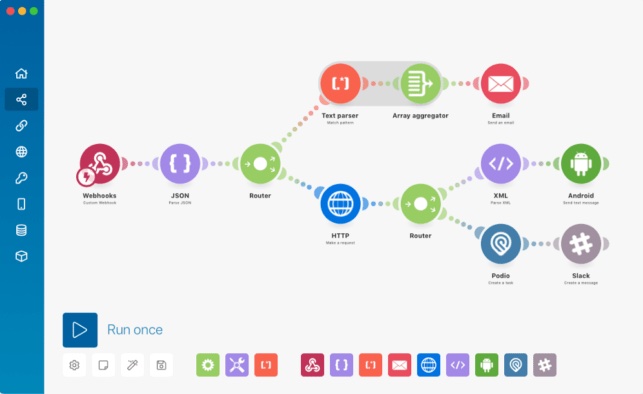
Make is a no-code workflow automation platform with a visual builder for branching, loops, and data transformation. It also supports AI agents and integrations with business applications.
Key features:
- Visual scenario builder: Creates and manages complex, multi-step workflows.
- AI agents: Handle classification, content generation, and other AI-powered tasks.
- Accessible pricing: Offers a free tier and published plans for testing before scaling.
Limitations:
- Limited human oversight: Human-in-the-loop functionality is restricted to Enterprise customers in closed beta.
- Cloud-only hosting: No self-hosted deployment option.
Best for: Operations and marketing teams building multi-step automated workflows without coding.
{{demo}}
What to look for in an intelligent workflow automation tool
Compare platforms by setup effort, operational efficiency, and the potential return on automation.
How it decides what to automate
Most workflow automation platforms expect you to know what to build. Look for tools that identify opportunities from observed work rather than interviews or guesswork, so you can prioritize based on potential ROI.
Handling variation and exceptions
Real workflows rarely follow one path. Look for tools that capture process variations and route exceptions to people when human judgment is needed.
Human-in-the-loop controls and auditability
Check for built-in approvals, audit trails, and controls that let you increase agent autonomy as performance improves.
Integration requirements
Connector-based platforms rely on APIs to access business systems. Screen-level discovery can capture workflows across desktop apps and legacy systems without integrations, reducing setup time.
Are intelligent workflow automation tools safe for sensitive data?
Yes, with appropriate access controls, audit trails, and personally identifiable information (PII) redaction before AI processing.
Worktrace AI's security controls include:
- Sensitive data redaction: Automatic detection and redaction of PII, PHI, and PCI.
- Allowlists and denylists: Controls which applications can be observed.
- Agent controls: Agent permissioning, user consent for sensitive actions, and audit trails of agent activity.
- Team-level insights: Aggregates workflow data rather than tracking individual productivity.
- On-premises deployment: Full on-prem or private cloud deployment, compatible with AWS, Azure, and GCP, so data and AI processing stay inside your environment.
- Security and compliance: SOC 2 Type II-aligned practices, with controls covering GDPR and HIPAA requirements, and ISO/IEC 27001:2022.
Ask vendors when data is redacted, what's logged, and who has access.
{{link-banner-2}}
Why intelligent automation projects stall before the build
Before investing in AI automation, check whether the workflow is worth automating and what an agent would need to handle.
Start with the business case. Freeform Dynamics’ 2025 research found that 78% of surveyed organizations cited assessing AI use-case value and ROI as a major obstacle. Some problems need a process fix rather than an agent:
- At a global services leader, Worktrace AI found that adjusting existing ticket reminders could replace some proposed agents.
- At Delhivery, workflow discovery revealed product gaps the team could fix directly.
{{customer-stories}}
Then check workflow readiness. The same research found that 72% cited project scoping as a major obstacle. Interviews and process maps can miss exceptions and decisions, creating rework during development.
Worktrace AI’s automatability framework draws on 500+ agent blueprints across 14 business functions to assess which workflows are ready for automation and how much autonomy they can support.
{{link-banner-1}}
This approach to agentic discovery gives AI leaders the evidence to prioritize investments before committing development resources.
Pick the workflow before you pick the platform
Knowing how work happens, and which processes are worth automating, makes platform selection easier.
Worktrace AI observes workflows, identifies opportunities, and builds agents around existing processes. It also exports specifications to n8n and Microsoft Copilot Studio.
Request a Worktrace AI demo to see where automation could help your team.






Read more

November 18, 2026
How to measure AI ROI, and why it starts before you build
Most AI ROI calculations fail before launch. Learn how to calculate AI ROI, which costs teams miss, and why a real baseline of the work comes first.


Ready to evaluate the results?

Agents you'll actually use
Worktrace discovery maps exactly how your team works and finds the most repetitive work. Then it builds Al agents that do that work.
We'll get in touch with you shortly.



of enterprise work is automatable