November 10, 2026
Celonis competitors: 9 alternatives that see beyond the system logs
Process mining tools that rely on event logs miss the work between systems. Compare nine Celonis alternatives by data source, setup effort, and path to automation.


Celonis is a leading name in process mining, but IT teams evaluating Celonis competitors face two challenges: visibility and automation.
Process mining relies on event logs, so when an invoice moves between SAP, Excel, and email, it can miss manual steps like checking figures or chasing approvals.
Even when Celonis identifies delays, automating those steps may require more integrations, API access, and engineering work.
This guide compares nine Celonis alternatives, from log-based process mining tools to screen-level process discovery platforms. See what each captures, what setup involves, and how they support automation, including AI agents that work across applications.
The best Celonis competitors and alternatives
The nine Celonis alternatives below take two approaches to process discovery.
- Screen-level tools capture work across applications, including manual steps in spreadsheets and email.
- Log-based process mining tools analyze system records, with some offering task mining for additional visibility.
Compare their data sources, integration requirements, and automation capabilities to see which approach fits your IT environment.
| Tool | Approach | Primary data source | Integrations to start | Cross-tool manual work | Insight to automation | Deployment | Pricing |
|---|---|---|---|---|---|---|---|
| Celonis (reference) | Log-based + task mining | Event logs, desktop activity | System data connections | Partial | Action Flows, orchestration | Cloud | Quote-based |
| Worktrace AI | Screen-level discovery | On-screen text and clicks | None | Yes | Builds and runs computer-use AI agents | Cloud, on-prem, private cloud | Quote-based |
| Automation Anywhere | Screen-level discovery + RPA | Desktop screen activity | None for discovery | Yes | Bots and AI agents | Cloud, on-premises (customer-managed) | Quote-based |
| SAP Signavio | Log-based mining | ERP and other system logs | System connectors | No* | SAP Build automation | Cloud | Quote-based |
| UiPath Process Intelligence | Log-based + task mining | Event logs, desktop activity | Data connections | Partial | UiPath robots and agents | Cloud, self-hosted | Quote-based |
| Microsoft Power Automate | Log-based + task mining | Event logs, desktop recordings | Data connections | Partial | Power Automate flows | Cloud | Published add-on pricing |
| IBM Process Mining | Log-based + task mining | Event logs, desktop activity | Data connections | Partial | Action triggers, RPA bots | SaaS, on-prem | Published starting prices |
| ARIS Process Mining | Log-based + task mining | Event logs, desktop activity | Data connections | Partial | Process models and governance | Cloud, private cloud, on-prem | Quote-based |
| ABBYY Timeline | Log-based + task mining | Event logs, desktop activity | Data connections | Partial | Alerts, automation candidates | Cloud | Quote-based |
| Apromore | Log-based + task mining | Event logs, desktop activity | Data connections | Partial | Salesforce Agentforce | Cloud | Quote-based |
"Partial" means the tool can capture desktop work through a separate task mining module, alongside its core log-based analysis. Details are correct as of October 2026 but can change, so confirm with each vendor before you buy.
Screen-level process discovery tools
Screen-level discovery captures manual work across applications, revealing workflow steps that system logs can miss.
1. Worktrace AI
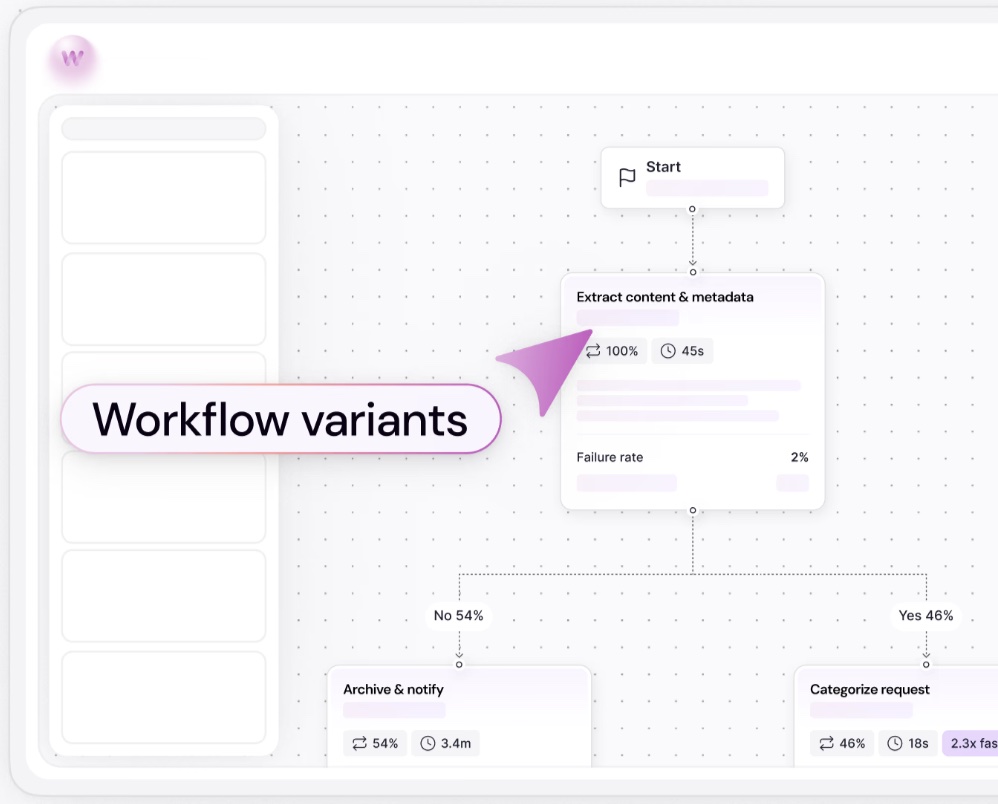
Worktrace AI helps IT teams find and automate work that traditional process mining tools can miss. Its screen-level process discovery captures what employees do across SAP, Excel, email, internal applications, and Citrix or VDI environments, with zero integrations or event-log extraction.
That means you can see the full process, including the manual checks, workarounds, and decisions happening between systems. The platform uses AI to understand the context behind those actions, then identifies which workflows offer the greatest potential for automation.
And you can act on those findings without another integration project. Worktrace AI builds computer-use AI agents that operate the same applications as your employees, using existing access permissions. They're built from multiple real-world examples, so they can handle workflow variations and exceptions that a single recorded sequence might miss.
Key features:
- Zero-integration discovery: See workflows across desktop, browser, and legacy applications without connectors or API access.
- Prioritized automation opportunities: Identify high-value processes based on time savings, implementation effort, and business KPIs, with SOPs for mapped workflows.
- Computer-use AI agents: Build and deploy agents that work directly in existing applications, without writing code or building integrations.
- Agent observability: Watch agents work in your applications, with every action recorded and auditable.
Proof points: At Delhivery, Worktrace AI mapped workflows across more than 20 teams and identified 8–10 priority automation blueprints within weeks, without integrations. At a global business services firm, it mapped 16 IT teams with zero integrations and cut agent build time from 10–15 days to hours.
{{customer-stories}}
Limitations:
- Newer agent capabilities: Launched in September 2026, with published customer results mainly focused on discovery.
- Desktop installation: Requires a lightweight Windows or Mac application.
Best for: IT and operations teams that want to discover, prioritize, and automate work across ERP systems, spreadsheets, email, and legacy applications without building integrations.
2. Automation Anywhere
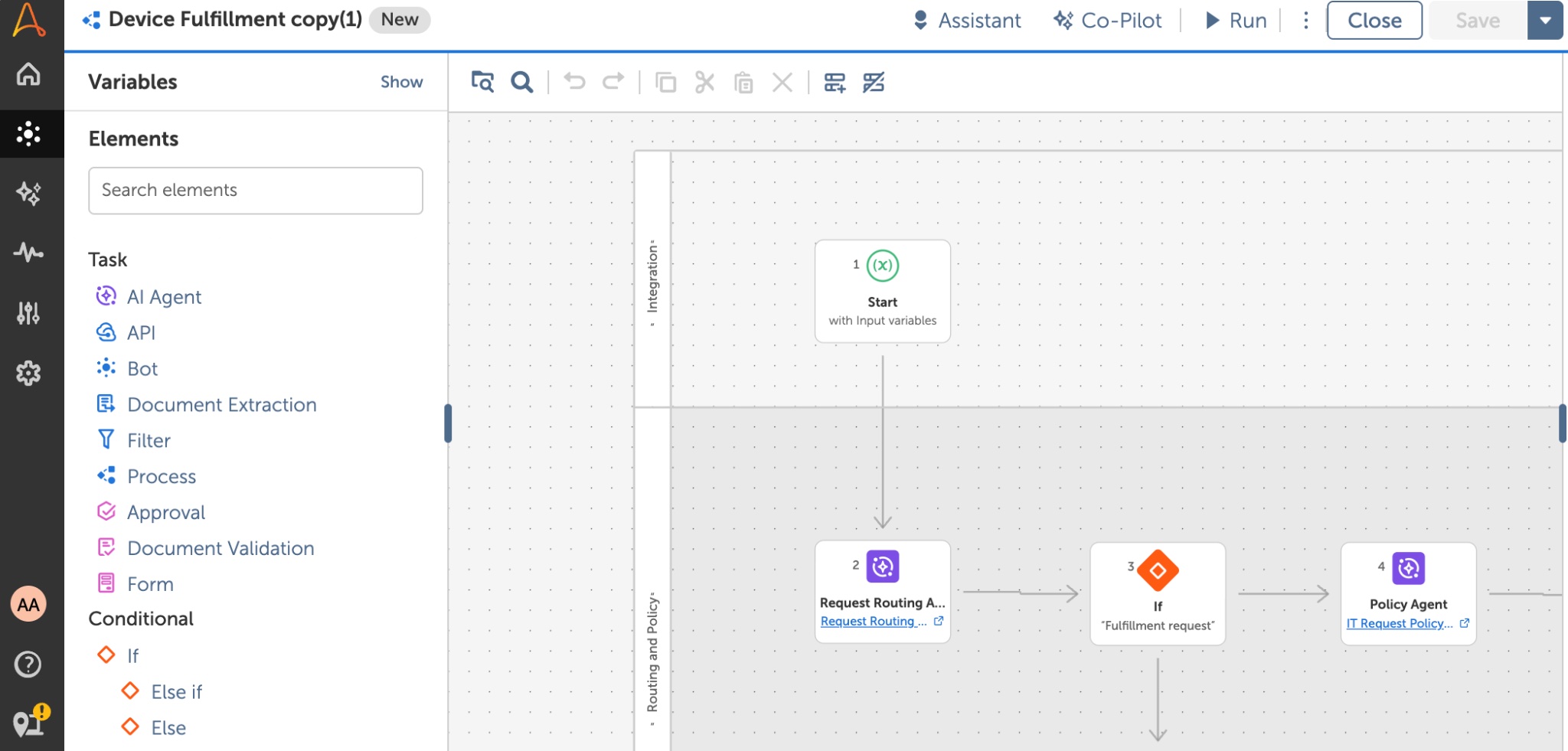
Automation Anywhere uses computer vision to discover workflows across desktop, web, and virtual environments. Its FortressIQ technology connects discovery with RPA and AI agents.
Key features:
- Screen-level process discovery: Maps workflows across applications without requiring integrations into each system.
- Built-in privacy controls: Uses a Privacy Enhanced Gateway to redact personally identifiable information (PII) before sending data to the cloud.
- Connected automation: Helps teams turn discovered workflows into RPA bots and AI agents within the Automation Anywhere platform.
Limitations:
- Platform dependency: Automation relies on Automation Anywhere’s own tools, limiting flexibility.
- Pricing transparency: Enterprise pricing is quote-based, making costs harder to compare.
Best for: Enterprises already using Automation Anywhere that want to connect process discovery with their existing RPA and intelligent automation programs.
Log-based process mining tools
These tools analyze ERP, CRM, and other system logs to identify bottlenecks. Some also offer task mining for desktop activity.
3. SAP Signavio
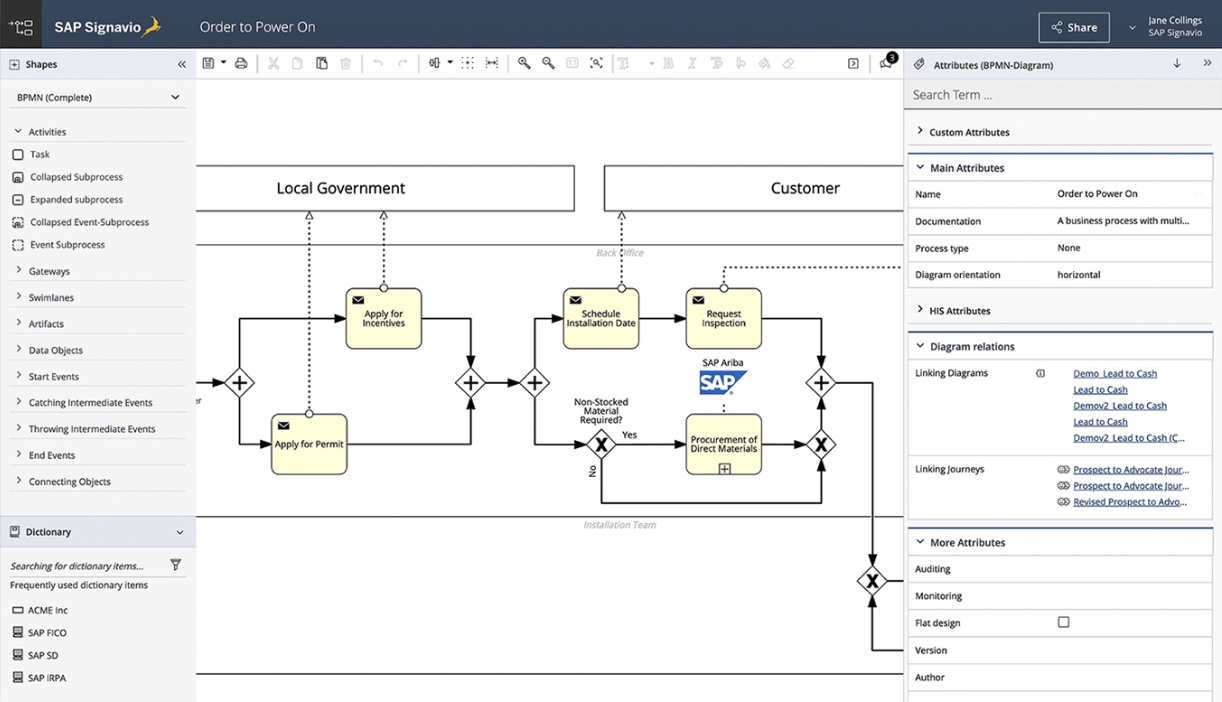
SAP Signavio combines process mining with business process management (BPM), including process modeling and governance, with strong support for SAP ERP environments.
Key features:
- Prebuilt connectors: Speed up data collection from SAP and non-SAP systems.
- Process modeling: Map workflows, check compliance, and identify improvements.
- Connected automation: Trigger SAP Build workflows or third-party RPA tools.
Limitations:
- Manual work gaps: Core process mining can miss activity in spreadsheets and email.
- SAP focus: Best suited to SAP environments, with quote-based pricing.
Best for: SAP ERP users seeking process mining, modeling, and automation in one suite.
4. UiPath Process Intelligence
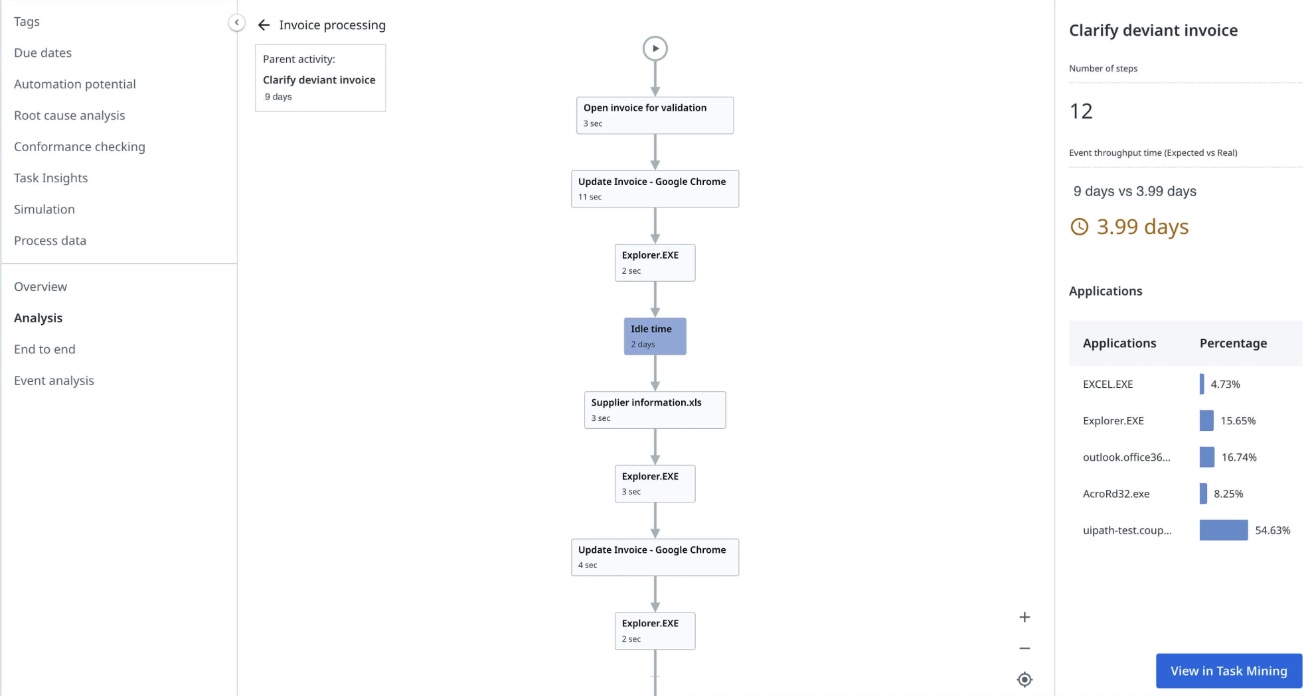
UiPath combines process and task mining with its automation platform, helping teams turn findings into robots and AI agents.
Key features:
- Process and task mining together, combining system data with desktop activity.
- Direct handoff to UiPath automations, which shortens the path from insight to build.
- Self-hosted option for strict data environments.
Limitations:
- Platform dependency: Automation relies on UiPath’s own tools, limiting flexibility.
- Pricing transparency: Enterprise plans require a custom quote.
Best for: Teams with an established UiPath program that want discovery and automation on one platform.
5. Microsoft Power Automate Process Mining
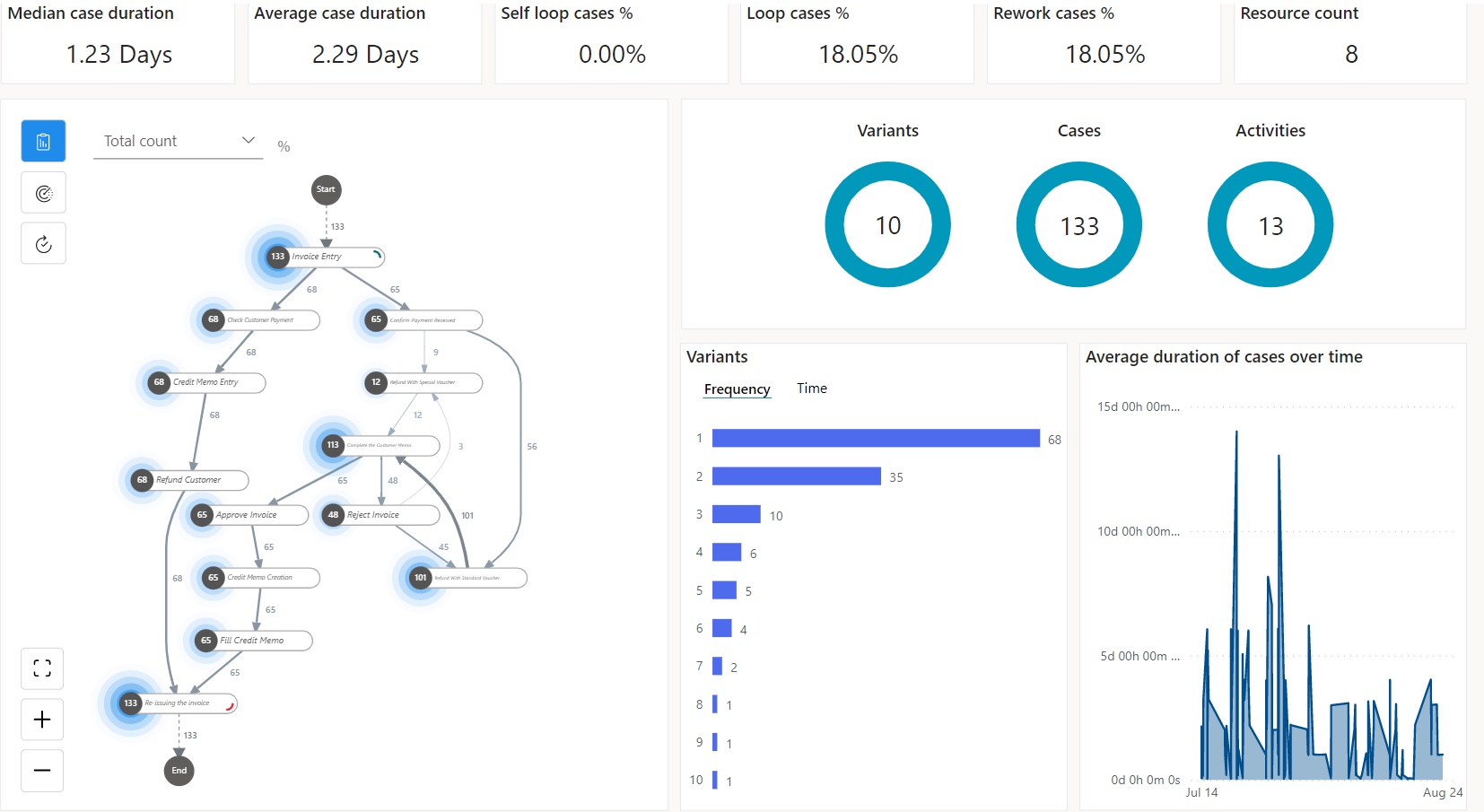
Microsoft Power Automate combines process and task mining with object-centric analysis of related business records.
Key features:
- Object-centric analysis: Tracks processes across related business records.
- Task mining: Captures desktop activity to reveal manual work.
- Connected automation: Turns findings into Power Automate flows.
Limitations:
- Premium licensing: Advanced process mining requires additional licensing.
- Cloud-only deployment: No on-premises option.
Best for: Microsoft-centric organizations looking to connect process mining with existing Power Platform automations.
6. IBM Process Mining
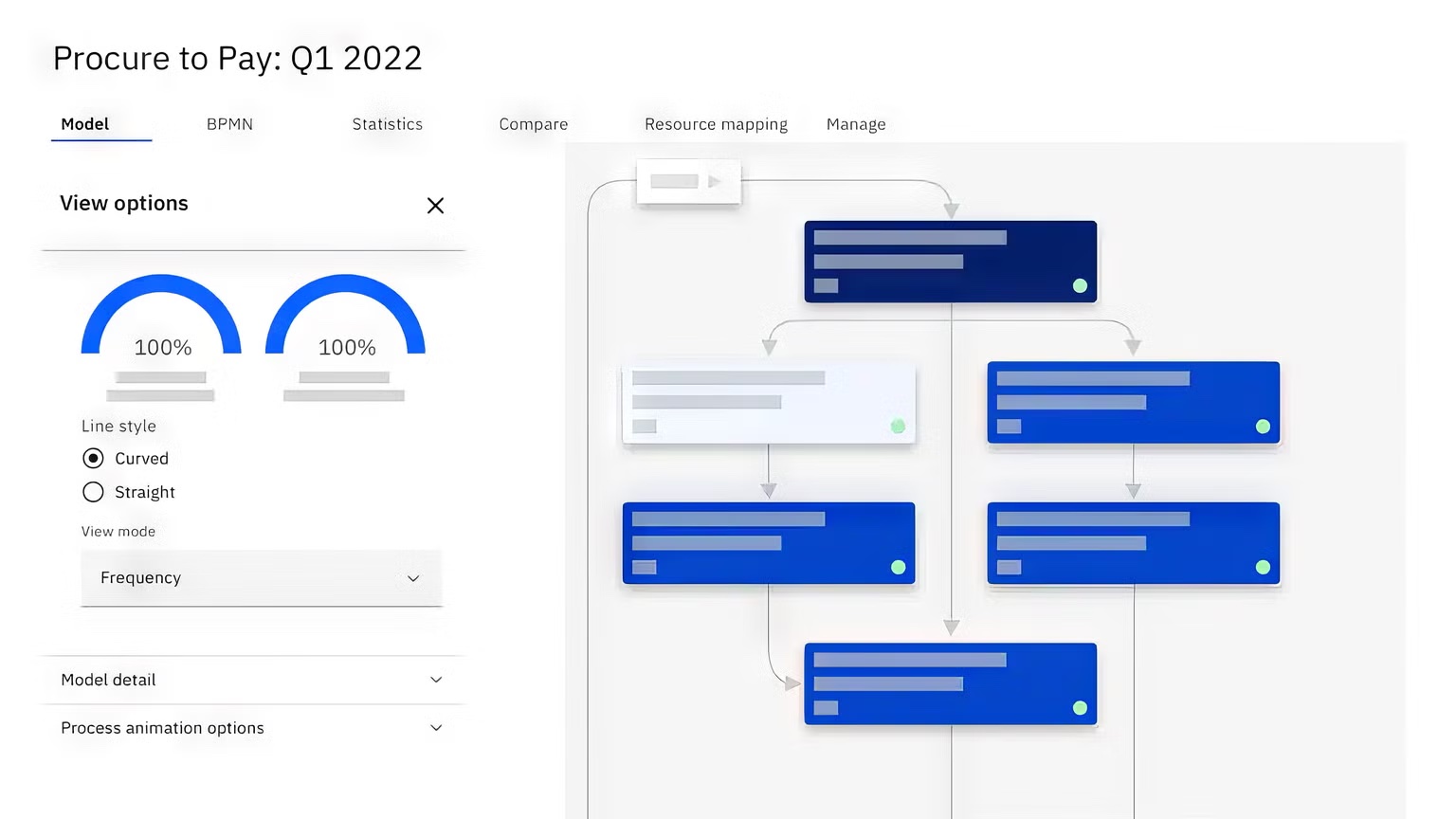
IBM Process Mining combines process and task mining with simulation, conformance checking, and published starting prices.
Key features:
- Flexible deployment: Run on-premises with Red Hat OpenShift or as SaaS on AWS.
- Simulation and conformance checking: Test process changes and identify deviations.
- Connected automation: Trigger actions and generate RPA bot frameworks from process data.
Limitations:
- Integration requirements: Requires data connections to source systems.
- Cost: Starting prices of several thousand dollars per month may exceed smaller budgets.
Best for: Regulated enterprises needing on-premises deployment, process simulation, and published pricing.
7. ARIS Process Mining
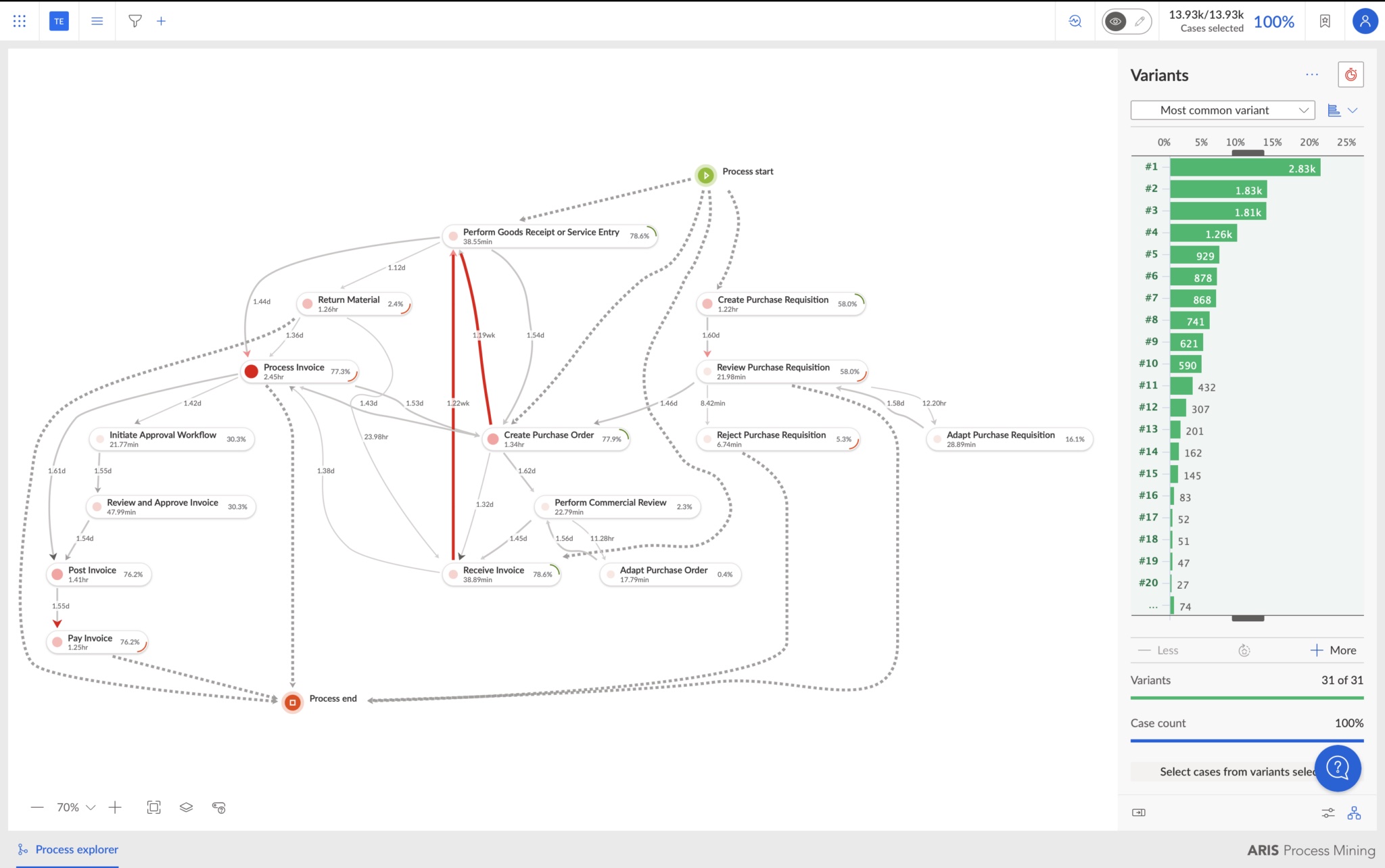
ARIS combines process mining, modeling, and governance to support workflow improvement and compliance.
Key features:
- Process mining and governance: Connect findings to documented process models.
- Task mining: Capture desktop activity alongside system data.
- Flexible deployment: Choose SaaS, private cloud, or on-premises hosting.
Limitations:
- Governance focus: Better suited to enterprises with established process management programs.
- Pricing: Requires a custom quote.
Best for: Enterprises seeking a process mining solution with strong governance, documentation, and compliance capabilities.
8. ABBYY Timeline
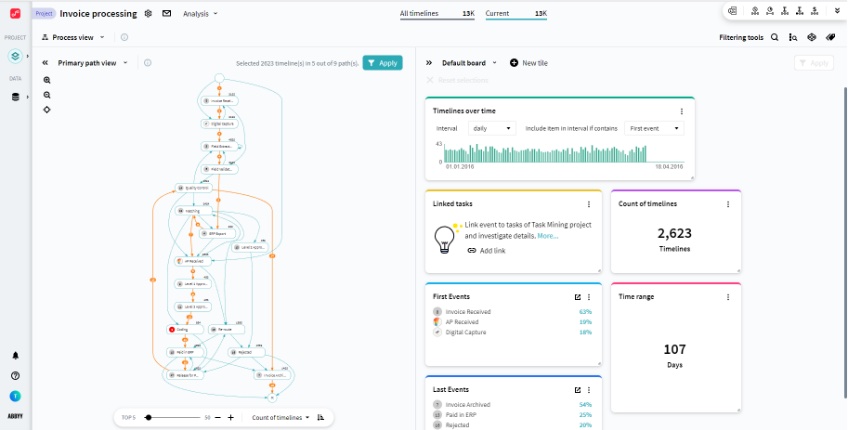
ABBYY Timeline combines process mining, task mining, and compliance monitoring, with integrations into ABBYY’s document processing tools.
Key features:
- Case analysis: Track individual process paths and identify delays.
- Task mining: Measure repetitive desktop activity.
- Compliance monitoring: Flag deviations from expected workflows.
Limitations:
- Learning curve: Can take time for teams new to process mining.
- Pricing: Requires a custom quote.
Best for: Compliance and process improvement teams managing document-heavy workflows.
9. Apromore
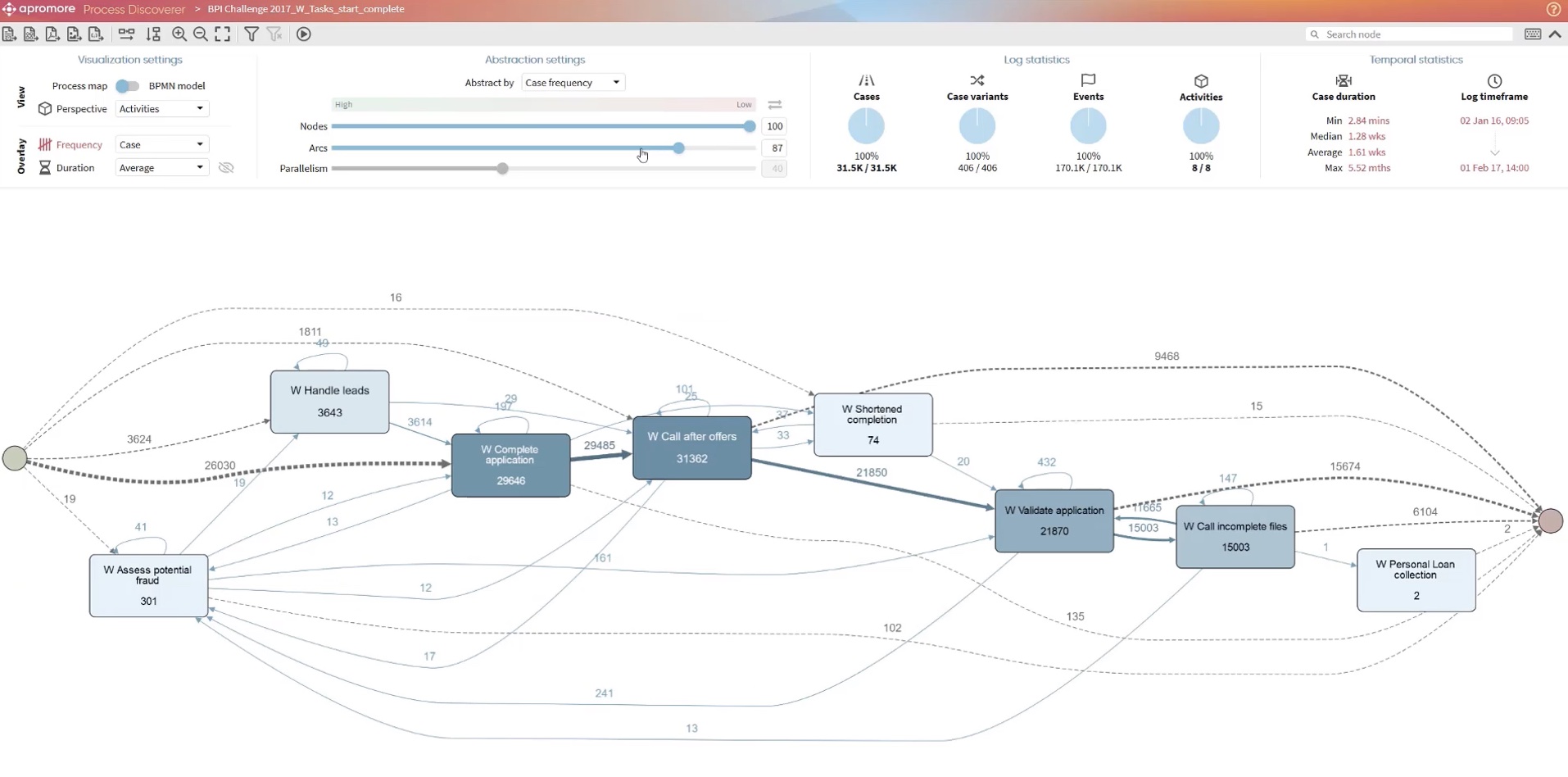
Apromore combines process and task mining with simulation. Following its acquisition by Salesforce, its capabilities are being integrated with Agentforce.
Key features:
- Process and task mining: Analyze system data and desktop activity.
- Digital twin simulation: Test process changes before implementation.
- Connected automation: Feed process insights into Salesforce Agentforce.
Limitations:
- Salesforce focus: Increasingly aligned with Agentforce, which may limit its appeal outside Salesforce environments.
- Pricing: Requires a custom quote.
Best for: Salesforce users looking to connect process intelligence with Agentforce automation.
Why teams look for Celonis alternatives
Celonis is an established process intelligence platform with deep ERP and SAP analysis and a large partner ecosystem, but customer reviews highlight several drawbacks:
- Integration effort: G2 reviewers describe difficulties connecting existing applications.
- Implementation time: Reviewers report complex, time-consuming setup.
- Cost: Licensing complexity can make smaller use cases difficult to justify.
- Limited visibility: Core mining relies on connected systems. Task Mining requires an additional license.
Celonis also offers Action Flows and Orchestration Engine for automation, but workflows involving spreadsheets or applications without APIs may need additional tools or development.
What to look for in a Celonis alternative
Compare these five criteria to understand how quickly each tool delivers insights and automation, and what IT needs to maintain.
Data source: system logs vs. screen-level observation
Start with the data source. Event logs show recorded system activity, while screen-level observation captures manual steps and decisions across applications. This determines how much of your workflow the tool can analyze.
Integration and setup effort
Consider what IT must configure before discovery begins. Connectors, extractors, and data models can delay insights and require maintenance as systems change.
Coverage of cross-tool and manual work
Check whether the tool captures work across spreadsheets, email, and internal applications. Some vendors charge extra for desktop task mining, which affects both coverage and cost.
What happens after discovery: a map, an insight list, or agents that do the work
Look at what the tool delivers after discovery: a process map, prioritized opportunities, build-ready specifications, or working AI agents. Each step can reduce the engineering work needed to automate a process.
For agents, check whether they learn from multiple workflow examples so they can handle variations and exceptions beyond a single recorded path.
Security, privacy, agent access, and deployment options
Screen-level tools should protect sensitive data through PII redaction, team-level aggregation, and appropriate deployment controls. For AI agents, check permissions, hosting, and auditability.
Worktrace AI automatically detects and redacts sensitive data including PII, PHI, and PCI, supports application allowlists and blocklists, and provides agent permissioning, user consent controls for sensitive actions, and audit trails of agent activity.
{{link-banner-1}}
The platform aggregates insights at team level and supports on-premises deployment, which matters in regulated sectors such as financial services.
Time to value and where the ROI comes from
Process mining returns value in two stages: what you learn, and what you change. The first stage is often costed in months, because connectors, extractors, and data models have to be built and maintained before the first process map exists. The second stage is usually a separate project, with engineering time and API access priced on top.
When you compare tools, look at the full cost of both stages, not the licence alone. Ask how long until the first mapped process, how much of that work falls on IT, and what it takes to turn a finding into something that runs. Tools that discover at the screen level skip the integration build on the first stage, and tools that produce working agents rather than a specification shorten the second.
At Delhivery, Worktrace AI mapped more than 20 teams and identified 8–10 priority automation blueprints within weeks, with no integrations to build first.
{{demo}}
When Celonis is still the right call
Celonis makes sense when most work happens within an ERP with reliable event logs, especially for high-volume analysis, compliance checks, and teams already using the platform.
When workflows span spreadsheets, email, and legacy applications, screen-level discovery offers broader visibility. That’s particularly useful for shared services teams moving from RPA to AI agents.
Choose the tool that sees where your work actually happens
When work spans multiple applications, you need to see the manual steps between them. Worktrace AI discovers those workflows without integrations and builds agents that work in your existing applications, helping teams turn AI strategy into action.
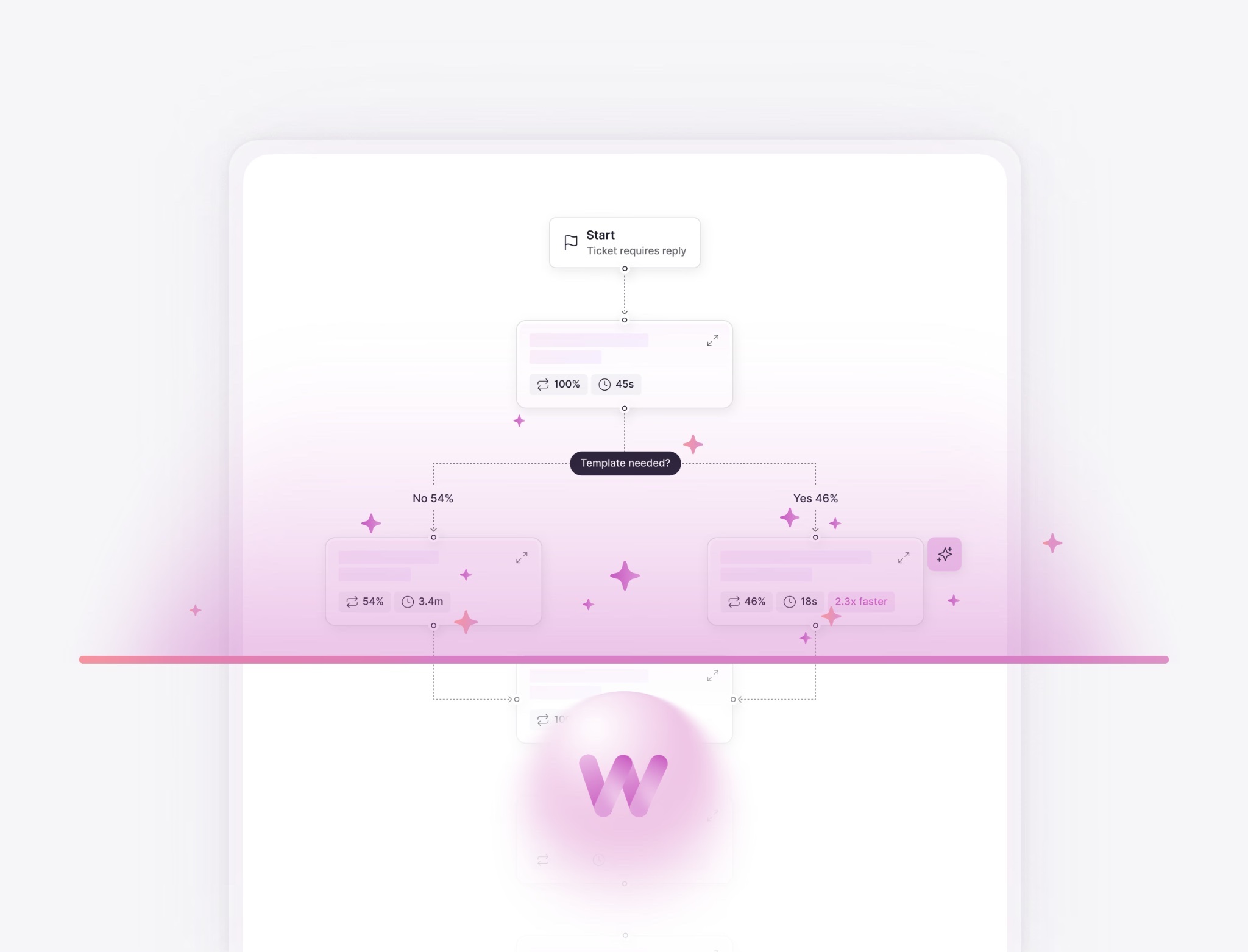
Schedule a Worktrace AI demo to identify your best automation opportunities.






Frequently asked questions
Read more

November 18, 2026
How to measure AI ROI, and why it starts before you build
Most AI ROI calculations fail before launch. Learn how to calculate AI ROI, which costs teams miss, and why a real baseline of the work comes first.

Ready to evaluate the results?

Agents you'll actually use
Worktrace discovery maps exactly how your team works and finds the most repetitive work. Then it builds Al agents that do that work.
We'll get in touch with you shortly.




of enterprise work is automatable