October 26, 2026
Process discovery methods compared
Interviews, observation, process mining, task mining, or screen-level observation? Compare five process discovery methods and see which one fits the decision in front of you.

Before a team can automate anything, it has to know how the work actually happens today.
That’s not as easy as it sounds. The business process on paper and the workflows people actually follow rarely tally up. Exceptions become standard practice. Teams develop workarounds. Some of the work happens outside the systems that track the process.
There are several different ways to discover how that work happens, but they all trade off differently on speed, coverage, and how much effort they demand from the team being studied. Interviews are fast but rely on memory. Shadowing someone for a week is accurate but doesn't scale. Process mining reconstructs activity from event logs, but only sees what those systems record.
Pick the wrong method for the goal in front of you, and you waste months or produce a process map that misses how the work actually gets done. The key is knowing what each process discovery method can show you and where its blind spots are.
What is process discovery?
Process discovery identifies how a business process runs by capturing and analyzing its steps, systems, decisions, handoffs, exceptions, and variations. This results in a process map or process model based on how work is actually performed, rather than how the business process was designed or documented.
- Documented process = the standard operating procedure (SOP), or other process documentation, that shows how work is supposed to happen
- Discovered process = the process map that shows how work actually happens
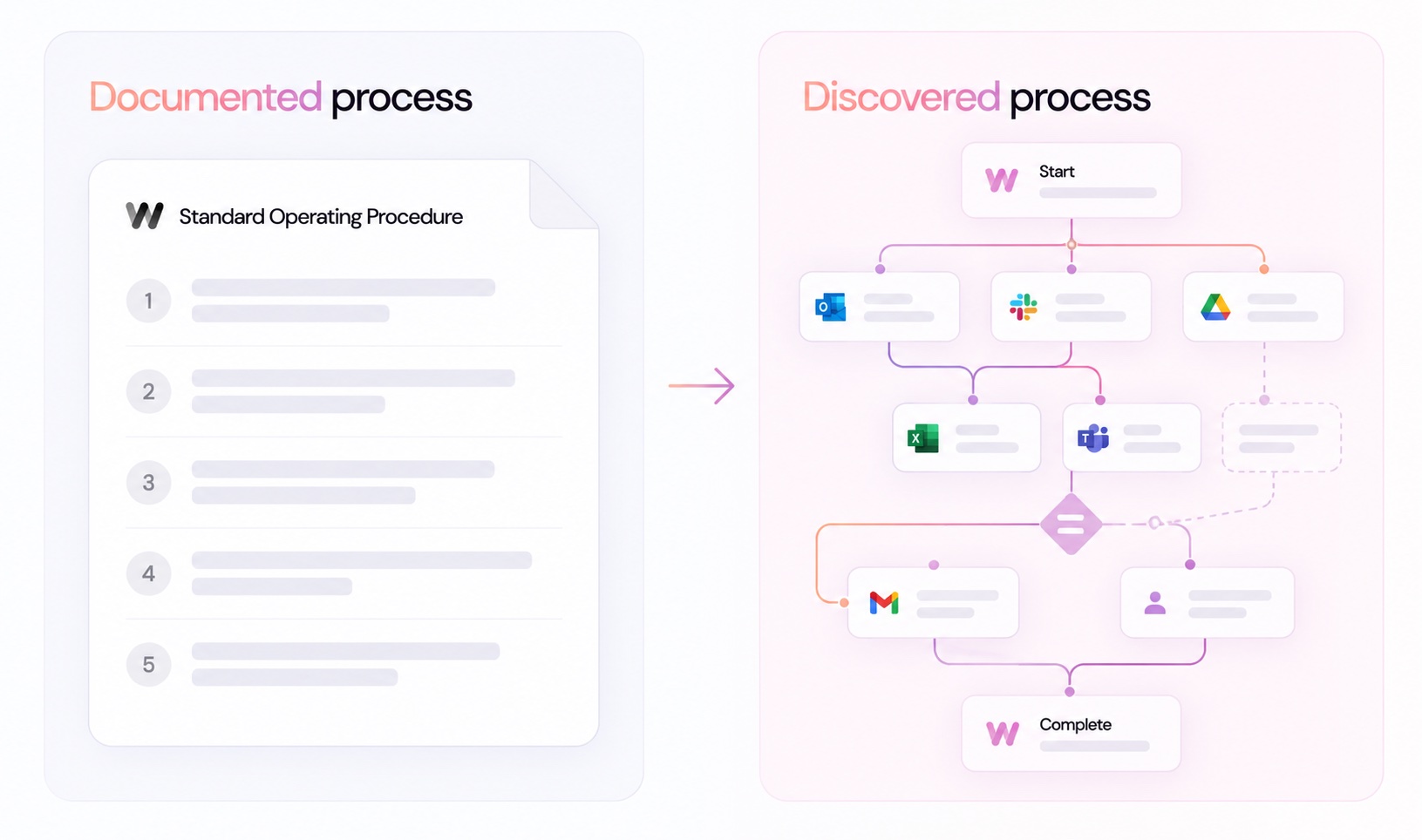
Different process discovery techniques capture that activity in different ways.
- Process mining reconstructs process execution from event logs in systems such as enterprise resource planning (ERP) and customer relationship management (CRM) platforms.
- Task mining captures user activity across applications.
- Interviews, workshops, and direct observation rely on employees and process owners to explain or demonstrate how work gets done.
That changes the process you end up mapping. For example, a method based on event logs can give you a detailed view of what happened inside those systems, but miss a workaround completed in a spreadsheet or a decision made outside them. Meanwhile, a task-level method can capture those actions, but may give you less visibility into the end-to-end process across enterprise systems.
Let’s look at the main process discovery methods, how each one works, and where each works best.
Process discovery methods at a glance
Choosing a process discovery method means deciding what you need to know, how accurately you need to know it, and how much time and effort you can spend finding out.
Here’s a quick overview of each method:
| Method | How it works | Best for | Less suited to |
|---|---|---|---|
| Interviews and workshops | Process owners and employees describe how work gets done | Fast process identification, understanding context and decision-making | Capturing every variation, exception, or workaround accurately |
| Direct observation/shadowing | An observer watches employees perform the workflow | Seeing real work in context, including manual steps and workarounds | Large teams, long-running processes, or workflows with many variations |
| Process mining | Reconstructs process execution from event logs in systems such as ERP and CRM platforms | End-to-end process analysis, bottlenecks, conformance checking, and process performance | Work that happens outside connected systems or isn't captured in event logs |
| Task mining | Captures user interactions across desktop applications | Detailed task-level workflows, repetitive work, and RPA (robotic process automation) opportunities | Understanding the wider business process or why decisions are made |
| Automated process discovery | Captures workflow activity across applications and uses AI to identify steps, decisions, variations, and patterns | Detailed process understanding across tools, teams, and workflow variants | Processes where the relevant work cannot be observed digitally |
Method 1: interviews and workshops
Interviews and workshops are the fastest way to start. Process owners walk you through the business process, giving you the main steps, handoffs, systems, decisions, and known exceptions without any technical setup.
They can also give you something system data can't: context around why people work the way they do.
But you're capturing reported behavior, not observed behavior. That introduces some important limitations:
- People forget: Occasional steps, exceptions, and workarounds can get missed.
- People work differently: Employees develop their own shortcuts, tools, and ways of completing the same workflow.
- People describe the SOP: What should happen can easily get mixed up with what actually happens.
- People hold things back: Employees may not disclose unapproved practices or tools. For example, Microsoft’s 2024 Work Trend Index Annual Report found that 78% of AI users bring their own AI tools to work, while 52% are reluctant to admit using AI for their most important tasks. An interview may therefore miss AI use that's already part of how the work gets done.
For initial process identification, that may be enough. For a process map that will inform automation, interviews usually need evidence from how the work is actually performed.
Method 2: direct observation
Direct observation replaces self-reporting with first-hand evidence. An analyst or consultant shadows employees as they work, recording the steps, systems, decisions, handoffs, and workarounds they see.
That can produce a detailed process map, including:
- Steps employees may forget or leave out in interviews
- Manual work between systems
- Workarounds, exceptions, and process variants
- Handoffs or bottlenecks that slow process execution
The trade-off is scale. Shadowing one person for a few days is manageable. Capturing variations across 20 people, a department, or an enterprise can quickly turn discovery into a months-long project.
Method 3: process mining
Process mining reconstructs business processes by analyzing event logs from systems such as ERP, CRM, and ticketing platforms. It uses timestamps and recorded activities to build process models showing how work moved through those systems.
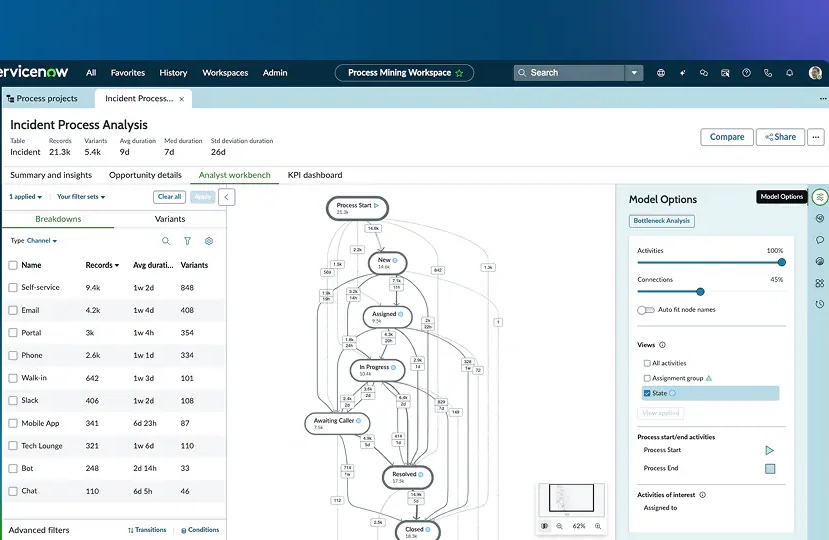
This makes process mining particularly strong at measuring process execution. It can show:
- How long each step or handoff takes
- Where bottlenecks and delays occur
- Which process variants appear most often
- Whether execution follows the expected process, known as conformance checking
- How process performance changes over time
The limitation is what makes it work: event logs. Process mining only sees activity recorded by connected systems. A spreadsheet used to reconcile an invoice, an approval chased over email, or a workaround completed in a legacy tool may never appear in the process model.
That blind spot can have a material impact. In one McKinsey case study, process mining identified $200–$500 million in potential savings, but improvement teams found initiatives representing only about a quarter of that value. McKinsey attributed the shortfall partly to activity outside the ERP that process mining couldn't see.
Connecting each system also takes technical work and IT and security approval. As the number of systems grows, so does the effort required to build a complete view.
Method 4: task mining
Task mining captures application use, clicks, keystrokes, and movement between tools, giving you a granular view of the individual tasks within a workflow.
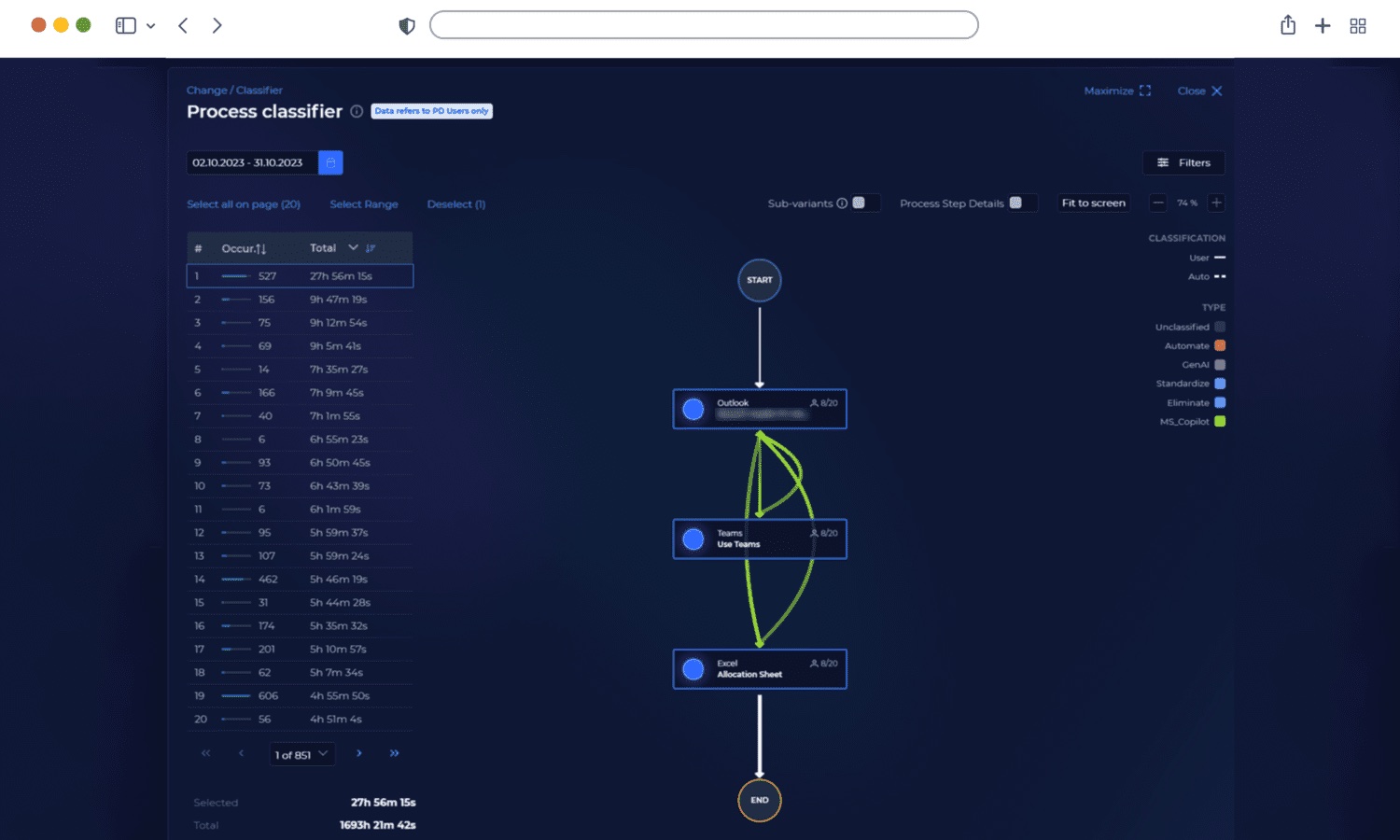
That level of detail can reveal:
- Repetitive manual tasks and potential RPA opportunities
- Application switching and unnecessary steps
- Common task variations and workarounds
- Where employees spend time within a task
But context is limited. Task mining can show that someone copied data from an email into an ERP system, checked a spreadsheet, and updated a CRM record. It doesn't show how that activity connects to work performed by other people before or after it, or how those tasks combine into the end-to-end business process.
That makes task mining useful for RPA and task-level optimization, but less complete for workflows spanning people, teams, and systems.
Method 5: screen-level workflow observation (Worktrace AI's approach)
Worktrace AI also captures work at the screen level, but uses that activity to reconstruct complete workflows rather than isolated tasks. Its lightweight desktop app observes work across browser tabs, desktop software, and internal tools, with zero system integrations required. That activity is aggregated at the team level, not tracked person by person, and Worktrace doesn't log keystrokes or monitor individual productivity.
Worktrace AI uses that activity to understand the process, not simply record it. Artificial intelligence interprets the context around each action, allowing Worktrace AI to identify the steps, decisions, handoffs, exceptions, and variations that make up a business process. It can then combine the different ways people perform the same work into a process map that reflects how the workflow operates across a team.
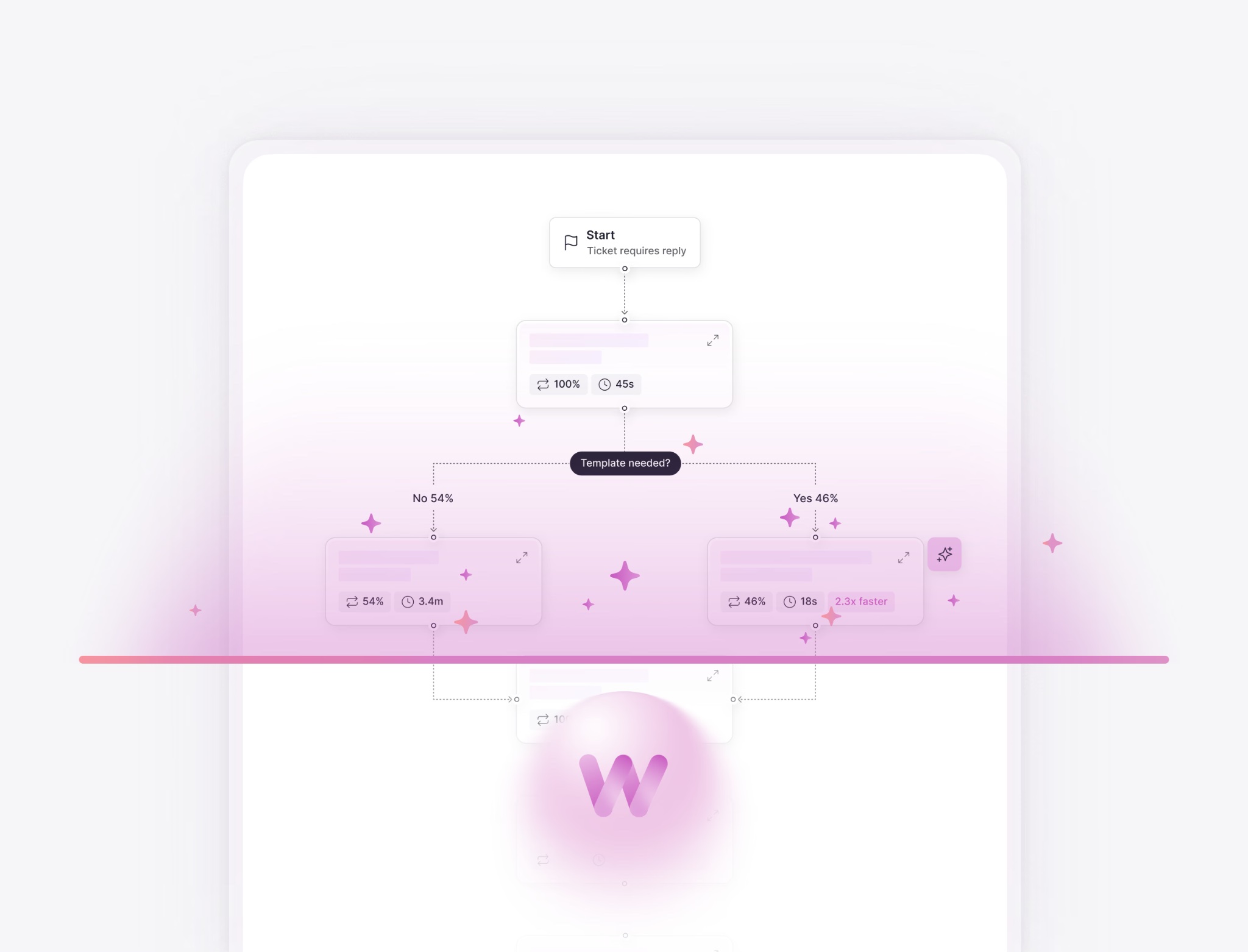
That gives you:
- Cross-application workflows and process variants
- Decision points, bottlenecks, and workarounds
- SOPs, process maps, and ranked automation opportunities
According to Worktrace AI’s published data for finance and operations teams, this approach can deliver initial insights within about a week.
Delhivery, India’s largest integrated third-party logistics provider, mapped workflows across 20 teams without integrations and surfaced eight high-priority automation blueprints.
Screen-level workflow observation can complement rather than replace process mining where detailed system-of-record event logs and conformance checking are the priority. It also reflects the broader shift from RPA toward AI-native process discovery, where the goal extends beyond finding repetitive tasks to understanding complete workflows well enough to redesign or automate them.
How to choose a method for your team
Start with the decision you need the process data to support. Then work backwards to the level of evidence you need.
Ask these four questions:
- What do you need to understand? Use interviews for a quick picture of an unfamiliar process, process mining for detailed system-level performance and conformance data, and task mining or screen-level observation when you need to see work across applications.
- Where does the work happen? Count the systems, but also look beyond them. If employees regularly move into spreadsheets, email, chat, internal tools, or manual workarounds, event logs alone won't give you the complete process.
- How much variation matters? A simple task may require one employee. A team-wide process needs enough coverage to capture different routes and exceptions.
- What will you do with the result? A rough process map may be enough for initial process improvement. If the goal is intelligent automation, RPA, or an AI agent, the standard is higher. You need enough process understanding to know what to automate, how the workflow should execute, where exceptions occur, and where human oversight belongs.
You can also combine process discovery techniques. Interviews can establish context and help process owners identify where to investigate. Observed or system-level data can then establish what actually happens.
The important distinction is evidence. Don't build an automation roadmap from a process map based on assumptions and treat it as observed process data.
Once you have that baseline, scoring how automatable a workflow actually is can help determine what should remain human, what artificial intelligence can handle, and where oversight belongs. Worktrace AI’s process discovery use cases show how those decisions apply across functions including finance, IT, HR, and customer support.
Getting started
The higher the stakes, the less you should rely on what people think happens. An automation built from an incomplete process map doesn't just inherit the missing steps. It inherits the wrong assumptions behind them.
If you'd rather skip the manual comparison, request a Worktrace AI demo and see how your workflows actually run, where they vary, and which automation opportunities are worth pursuing.
FAQs about process discovery
Is process discovery the same as process mining?
No. Process discovery is the broader practice of identifying and mapping how work actually happens, while process mining is one method used to do it. Other process discovery tools include task mining, direct observation, and automated business process discovery. Specifically, process mining uses event logs to generate process intelligence that can support business process management and business process improvement.
Which process discovery method is fastest to set up?
Interviews and workshops are the fastest process discovery methods to set up because they require no software or integrations. However, they rely on self-reported information. Among automated business process discovery methods, screen-level observation can start quickly because it doesn't require integrations with every system. Worktrace AI can provide initial workflow insights within about a week.
Do I need system integrations to start process discovery?
No. You don't need system integrations for every process discovery method. Process mining typically requires access to event logs from ERP, CRM, and other systems, while task mining and screen-level observation capture work directly from the desktop. This can reveal activity that business intelligence systems don't record, providing broader process intelligence for operational excellence initiatives.
Read more
October 23, 2026
The AI transformation roadmap starts with seeing the work first
Most AI transformation roadmaps stall because they're built on assumptions. Here's how a discovery-first approach helps you prioritize, sequence, and measure what actually drives ROI.


Agents you'll actually use
Worktrace discovery maps exactly how your team works and finds the most repetitive work. Then it builds Al agents that do that work.
We'll get in touch with you shortly.




of enterprise work is automatable